What is the Personal Queue?
The Personal Queue is a feature that allows you to add documents to your Personal Print Queue for printing at a later time. This is useful if you want to organize or hold documents before sending them to print.
How to add documents to your Personal Queue:
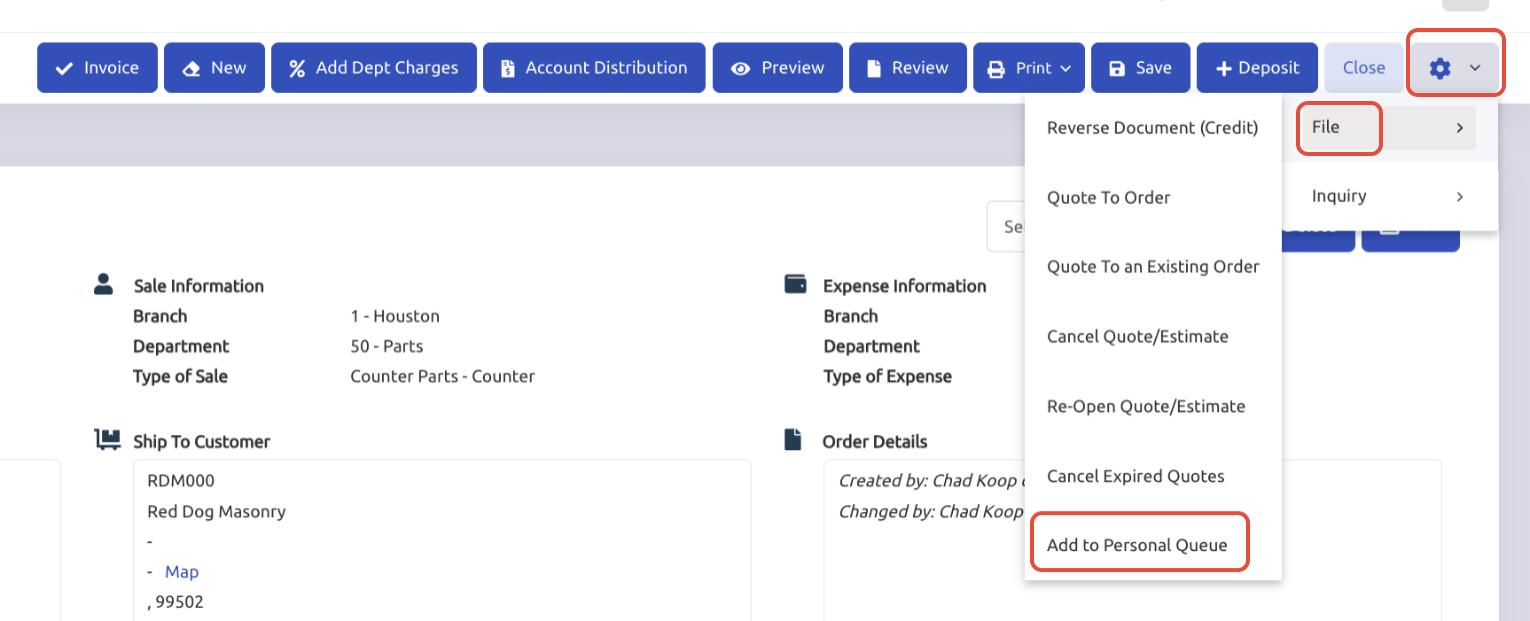
- Open your Invoice from General → Invoicing
- From a document that you are viewing
- Click the Gear Icon
- Go to File
- Click Add to Personal Queue
You can manually add documents to your Personal Print Queue.
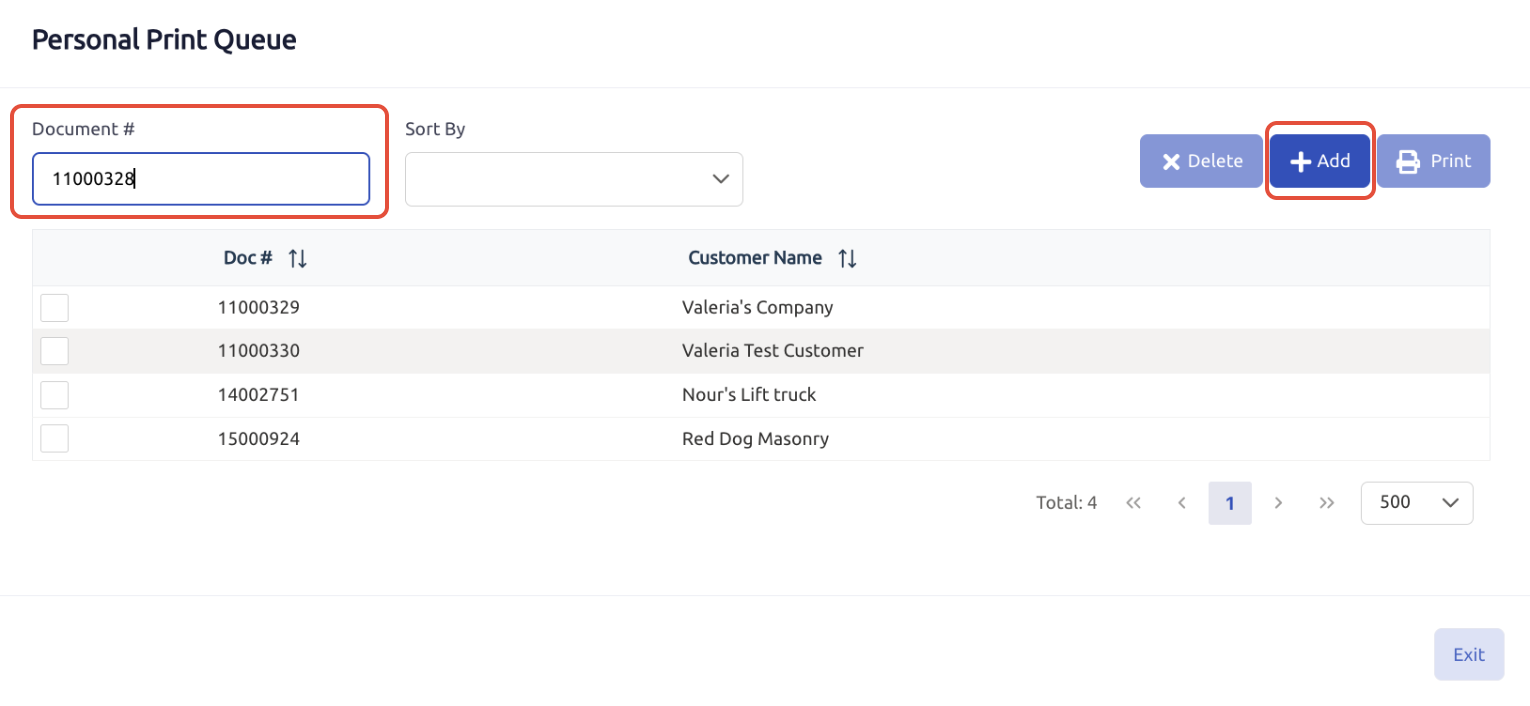
- Open your Invoice from General → Invoicing
- Select any document to view
- Go to Print
- Click on Personal Print Queue
- Enter the Document #
- Click on +Add
How do I print documents from my Personal Print Queue?
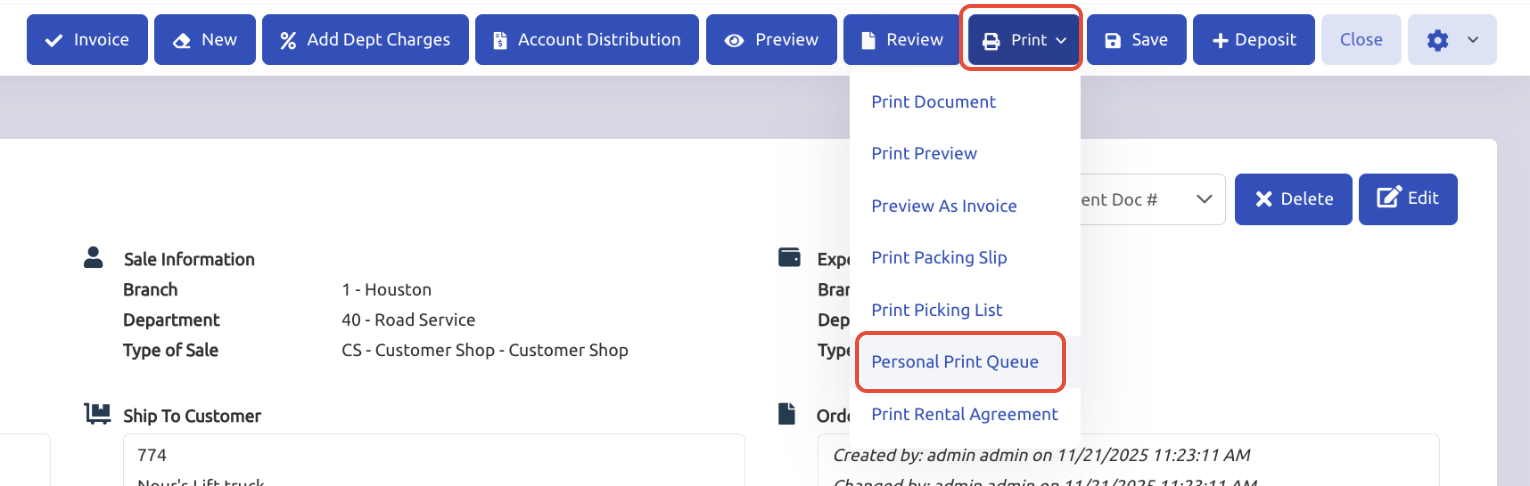
- Open your Invoice from General → Invoicing
- Select any document to view
- Go to Print
- Click on Personal Print Queue
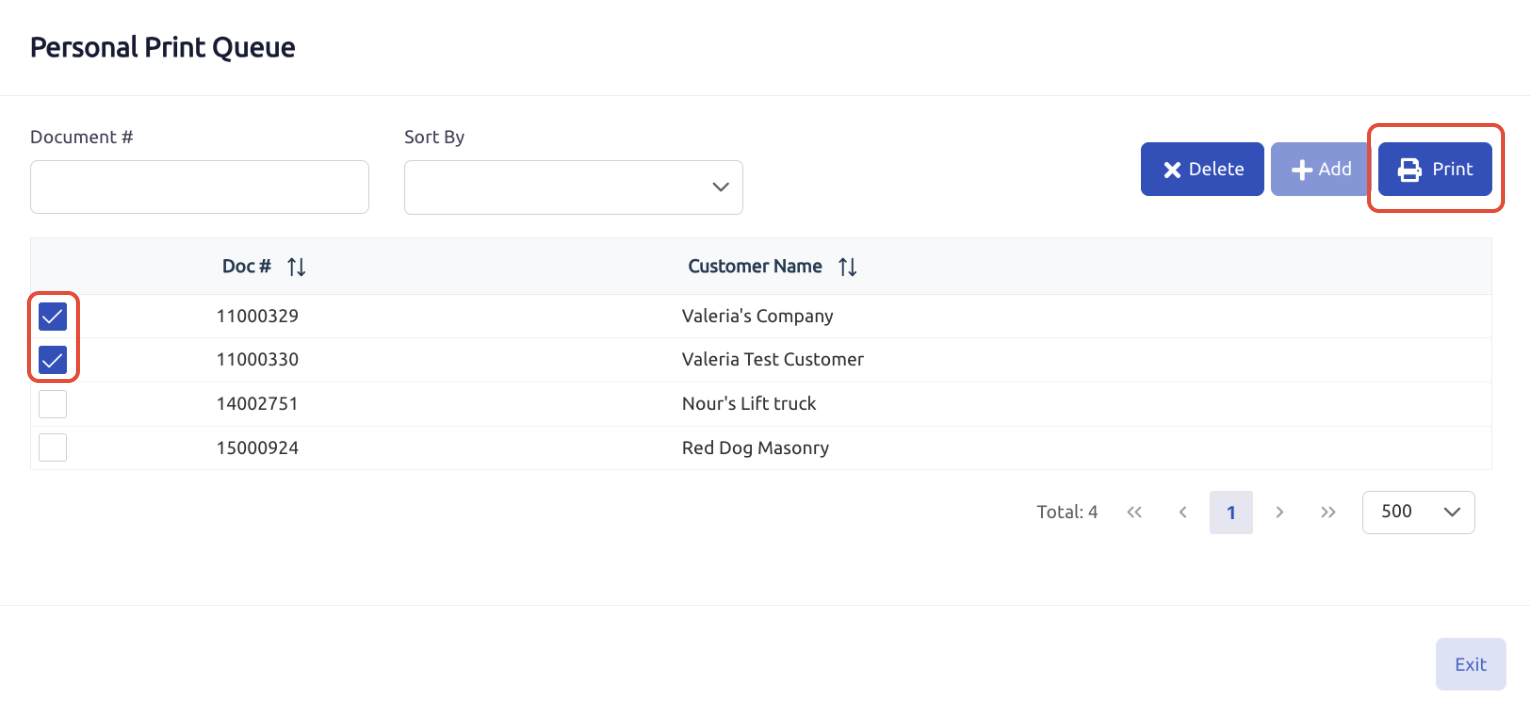
- Select the documents you want to print by marking the boxes
- Click on Print
Note:
You can print multiple documents at once or organize them before printing.
The Personal Queue is user-specific; only your queued documents appear in your queue.
Was this article helpful?
That’s Great!
Thank you for your feedback
Sorry! We couldn't be helpful
Thank you for your feedback
Feedback sent
We appreciate your effort and will try to fix the article