How Images Attached via Mobile Service Appear Stored in the System
Overview
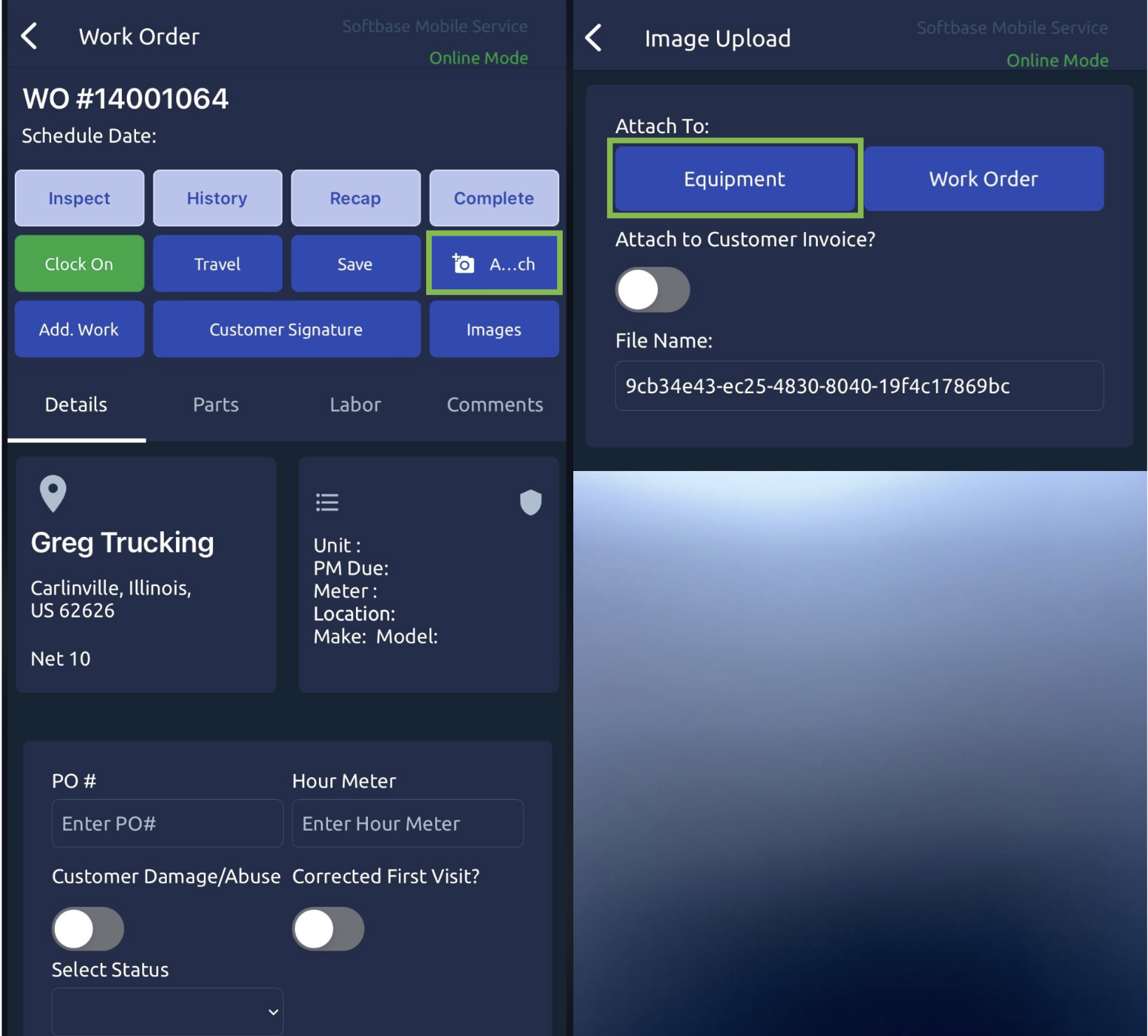
In the Mobile Service Application, technicians can take or upload photos and attach them either to the Equipment Unit or the Work Order (WO). The storage location of the images depends on the selection made during the attachment process.
1. Attaching Images in the Mobile Service Application
Equipment Attachment: If the technician selects the Equipment button, the photo will be linked to the Equipment Unit associated with the Work Order.
Work Order Attachment: If the technician selects the Work Order button, the photo will be attached to the Work Order Document.
Attaching to Both: If the image needs to be linked to both the Equipment Unit and the Work Order, the technician must take/upload the photo twice—once for each attachment.
2. Where Images Are Stored in the System
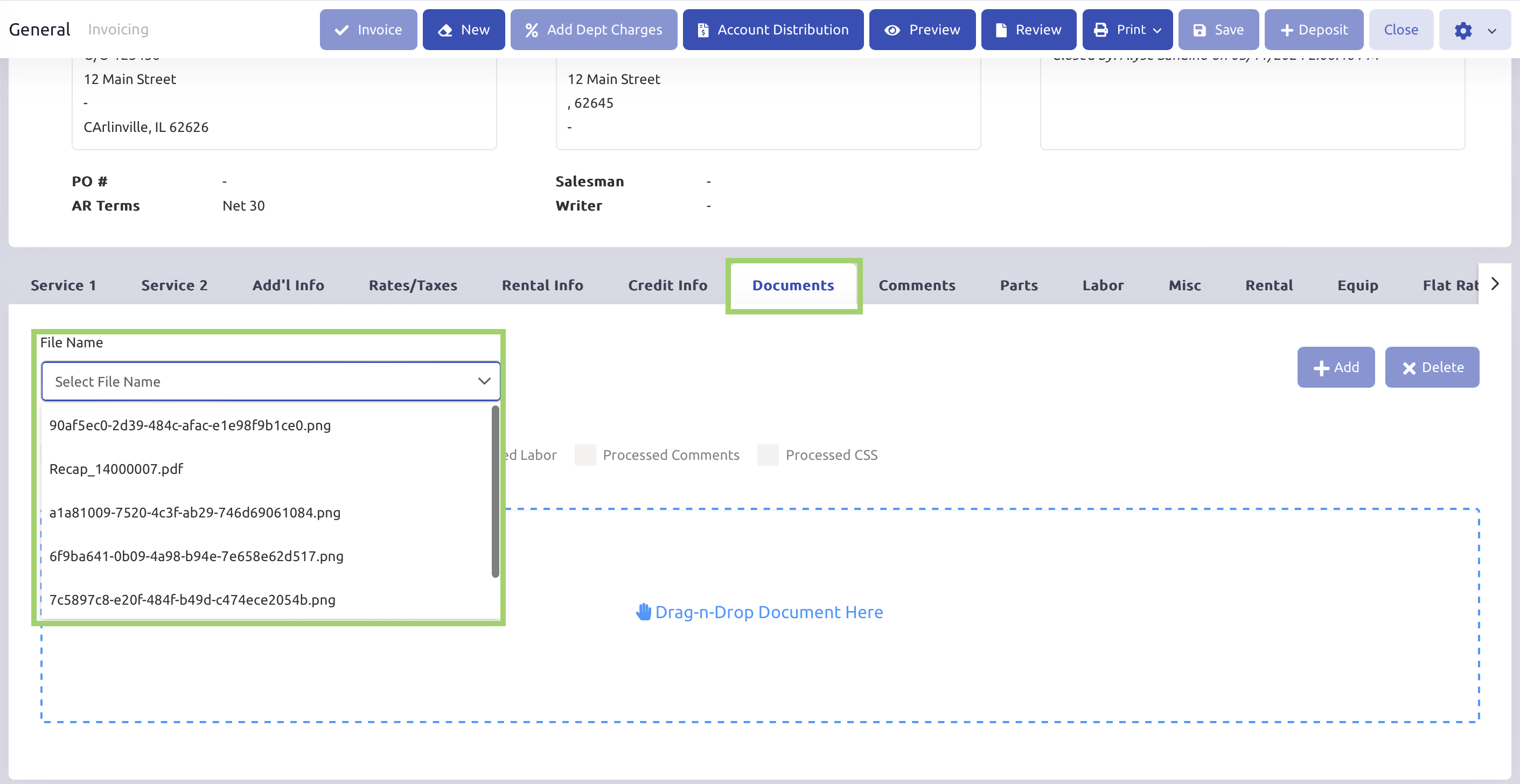
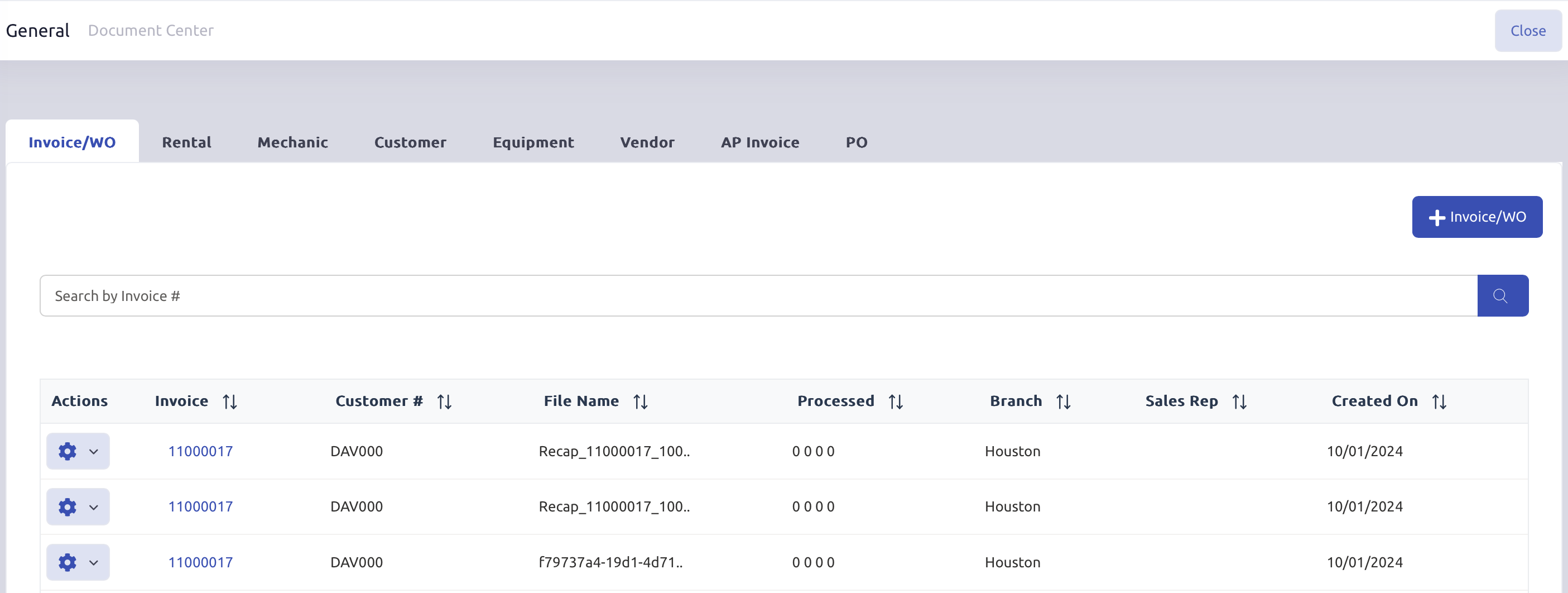
Work Order Attachments: Images attached to the Work Order will be available under:
The Documents Tab in the Invoicing Program.
The Document Center.
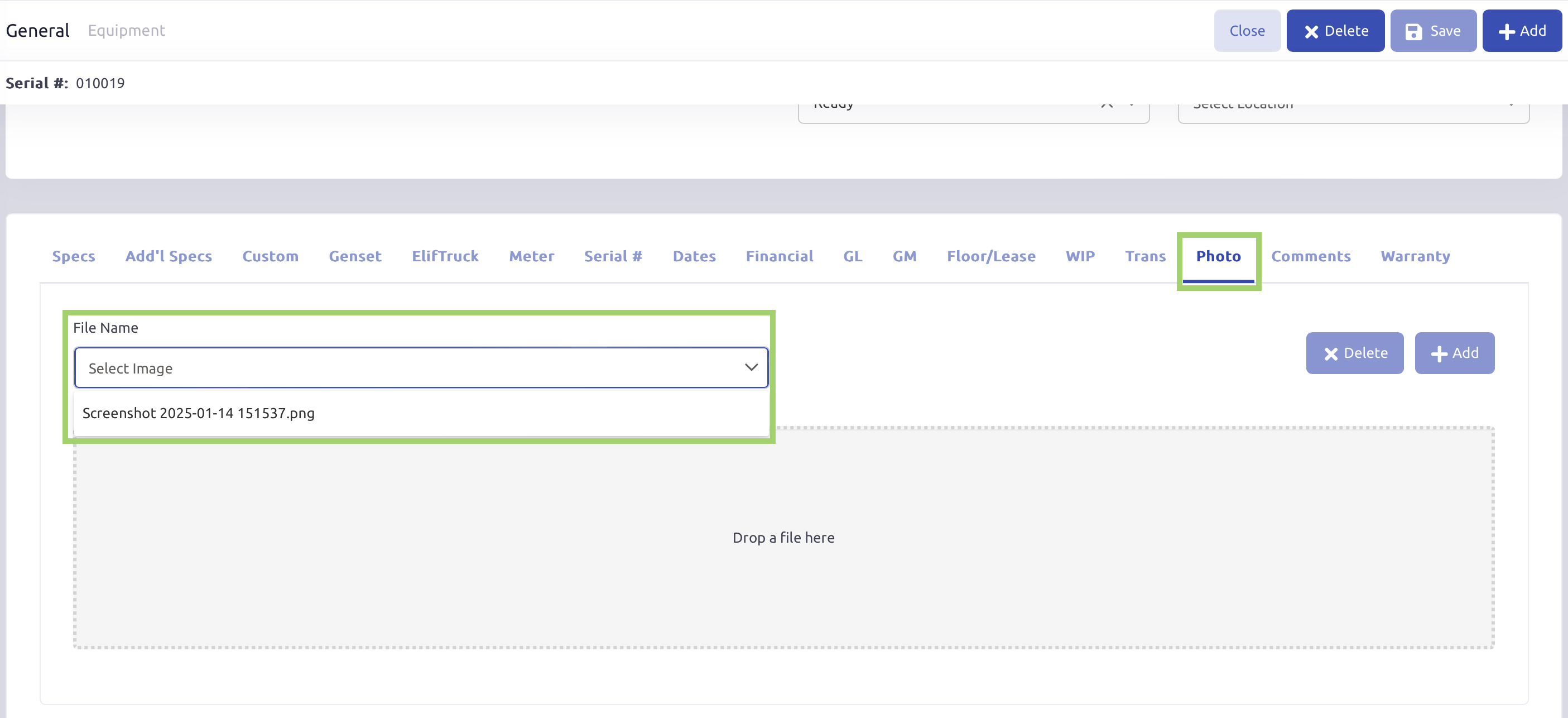
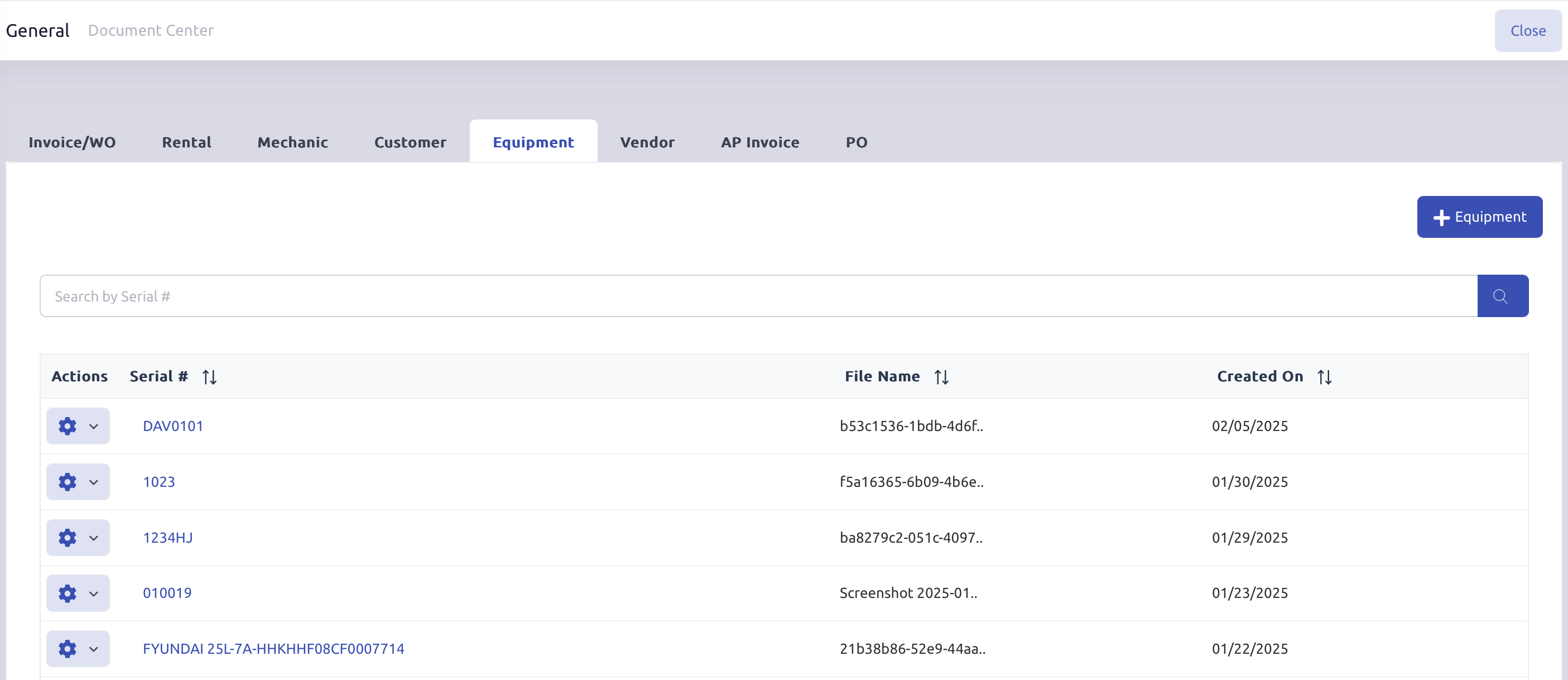
Equipment Attachments: Images attached to the Equipment Unit will be available under:
The Photos Tab in the Equipment Record.
The Document Center.
Was this article helpful?
That’s Great!
Thank you for your feedback
Sorry! We couldn't be helpful
Thank you for your feedback
Feedback sent
We appreciate your effort and will try to fix the article