Overview
The Updates Tab in Softbase 3.0 allows users to efficiently apply changes, such as pricing, descriptions, or comments, across multiple warehouses or branches. This ensures consistency in part information across the system, reducing manual updates and errors.
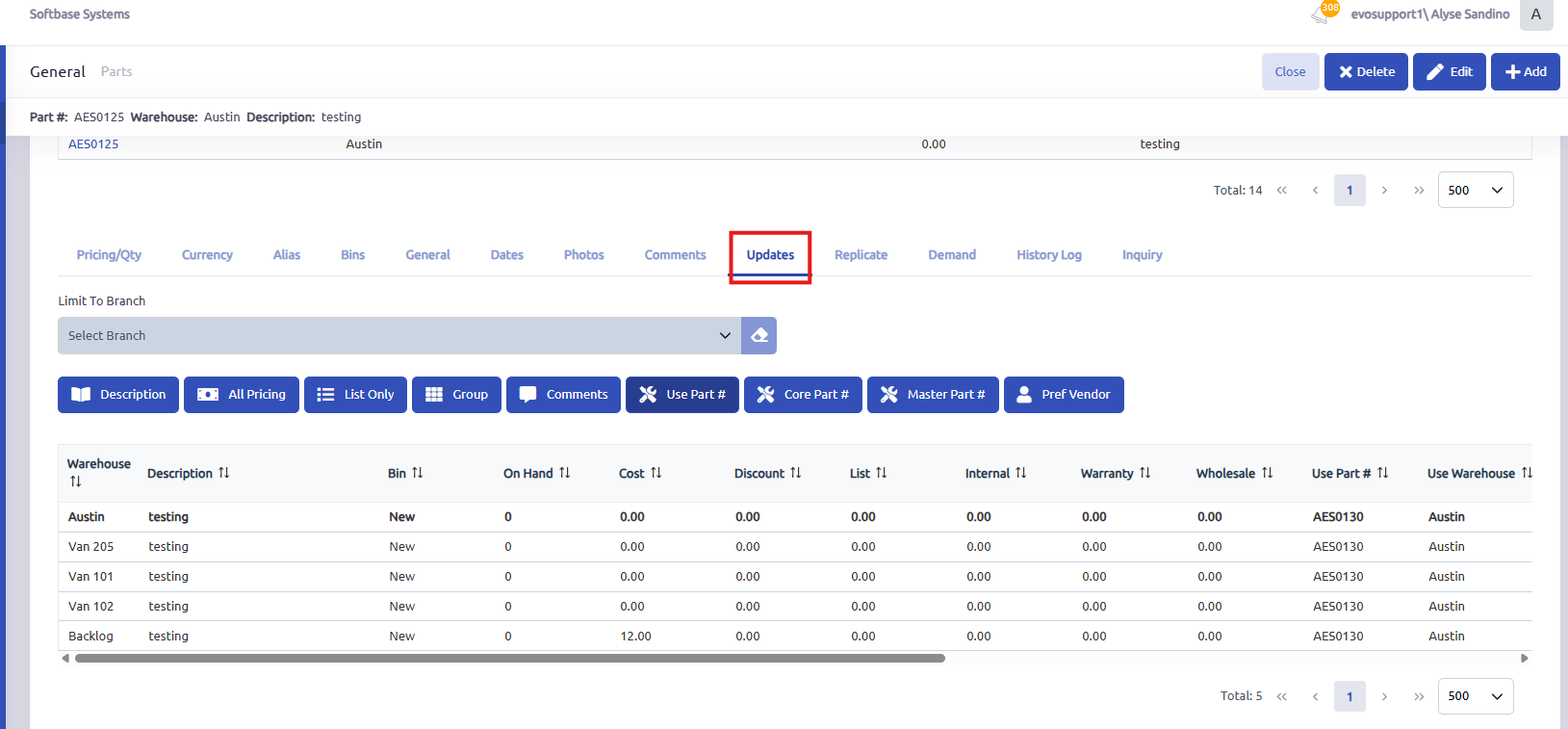
Access the Updates Tab
- Open a part record in the system.
- Click on the Updates tab to view the update options.
Update Pricing Across Warehouses
- Navigate to the Pricing section of the part record.
- Modify the price.
- Return to the Updates Tab.
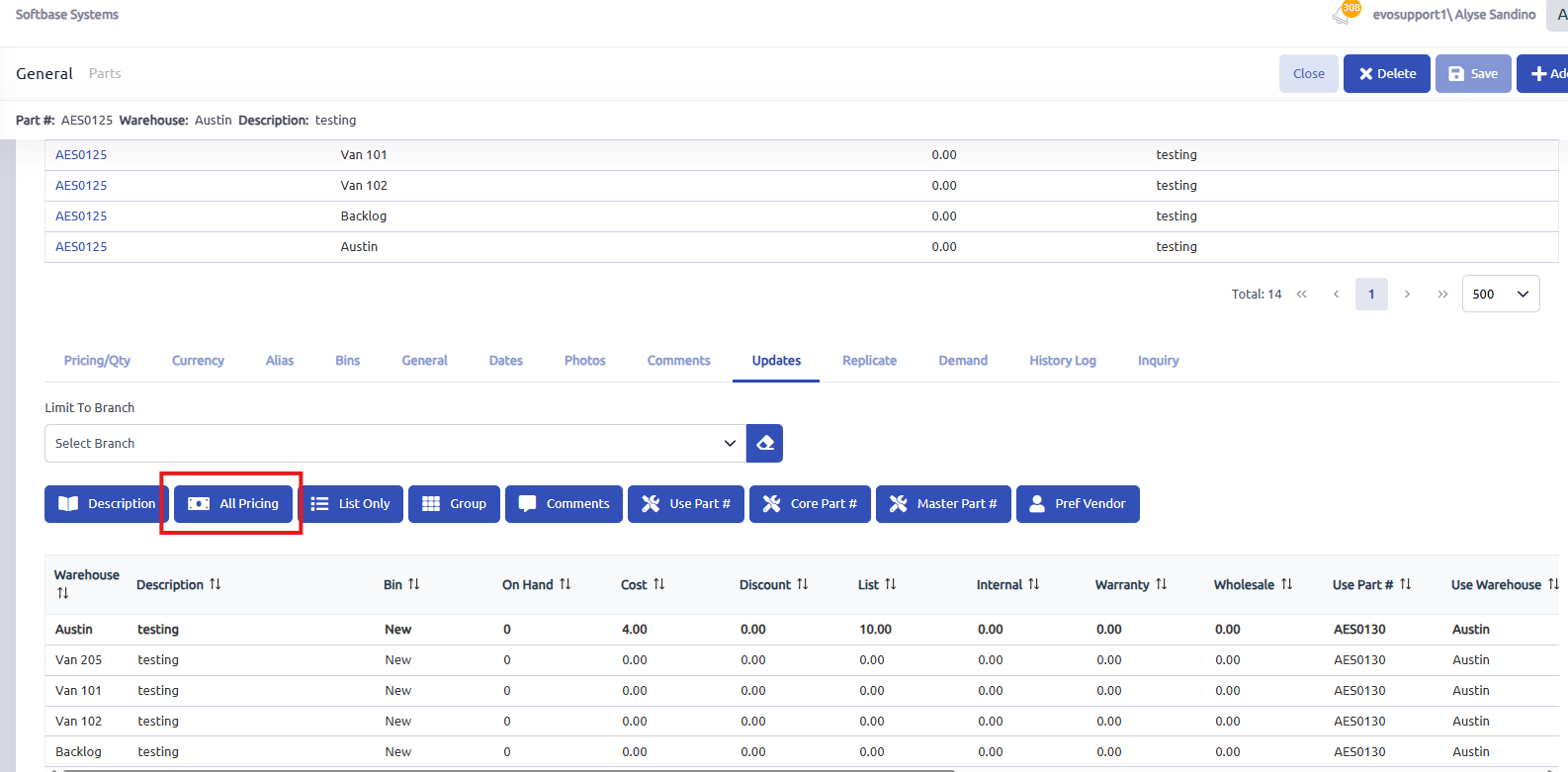
- Click All Pricing to apply the changes to all warehouses.
Update Specific Fields
- Use the respective options in the Updates Tab for targeted updates:
- Description: Update the part’s description across all warehouses.
- List Only: Apply changes to the list price only, leaving cost and other fields untouched.
- Group: Update the Part Group tied to the part across all warehouses.
- Comments: Update the Comments on the part across all warehouses
- Use Part #: Update the part number in the Use Part # field across all warehouses
- Core Part #: Update the part number in the Core Part # field across all warehouses
- Master Part #: Update the part number in the Master Part # field across all warehouses
- Pref Vendor: Update the vendor number in the pref vendor field across all warehouses
- Use the respective options in the Updates Tab for targeted updates:
Branch-Specific Updates
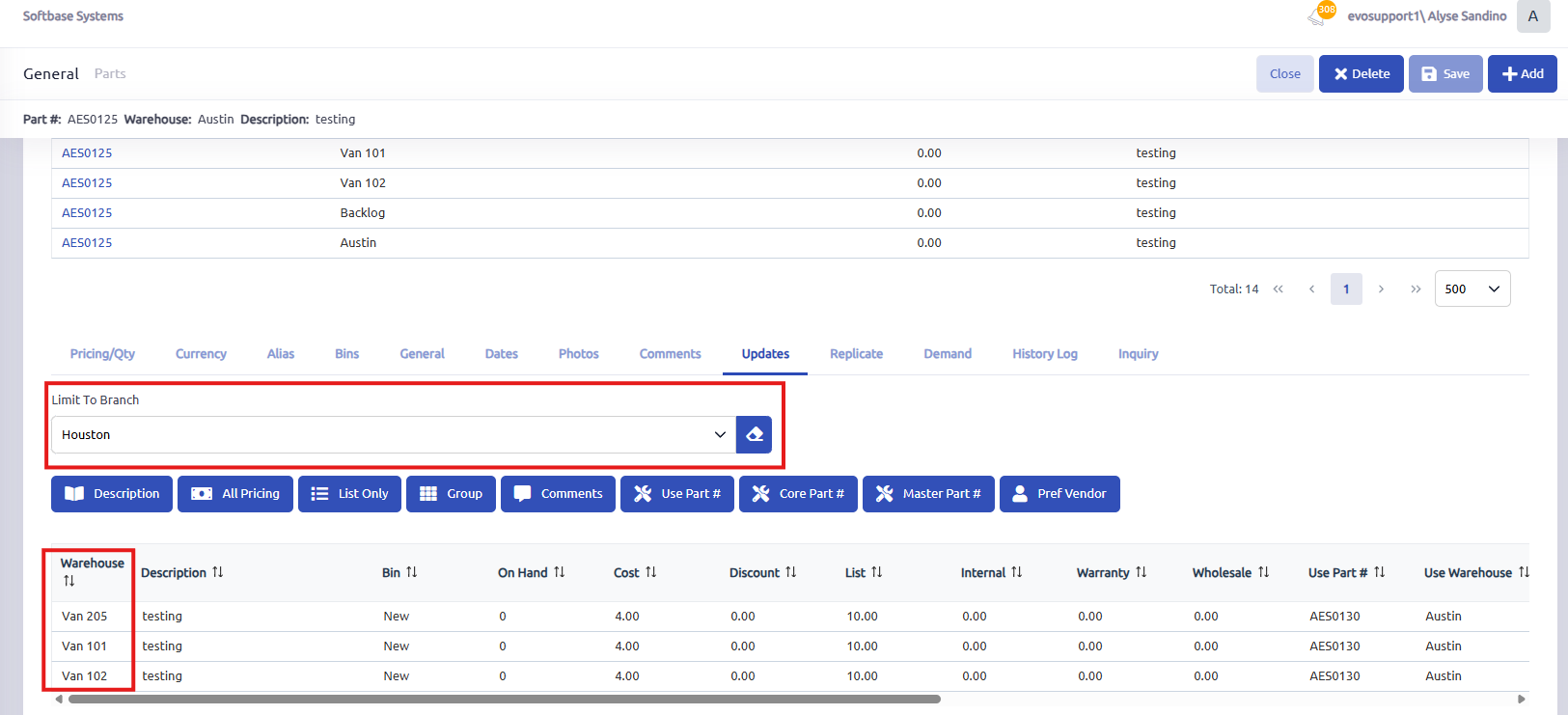
- Use the Limit Branch dropdown to restrict updates to a specific branch.
- Select the desired branch.
- Apply updates to warehouses under this branch.
- Verify Updates:
- Check other warehouse records to confirm that the updates were applied successfully.
Additional Notes
- Time-Saving Benefits:
Instead of updating information manually for each warehouse, the Updates Tab allows bulk updates in a single step. - Functionality Options:
Users can choose to update all attributes or specific ones like pricing, descriptions, or comments. - Scenarios for Use:
- Synchronizing pricing across multiple locations.
- Updating part descriptions for consistency.
- Ensuring comments or vendor information are reflected across all relevant branches.
Was this article helpful?
That’s Great!
Thank you for your feedback
Sorry! We couldn't be helpful
Thank you for your feedback
Feedback sent
We appreciate your effort and will try to fix the article