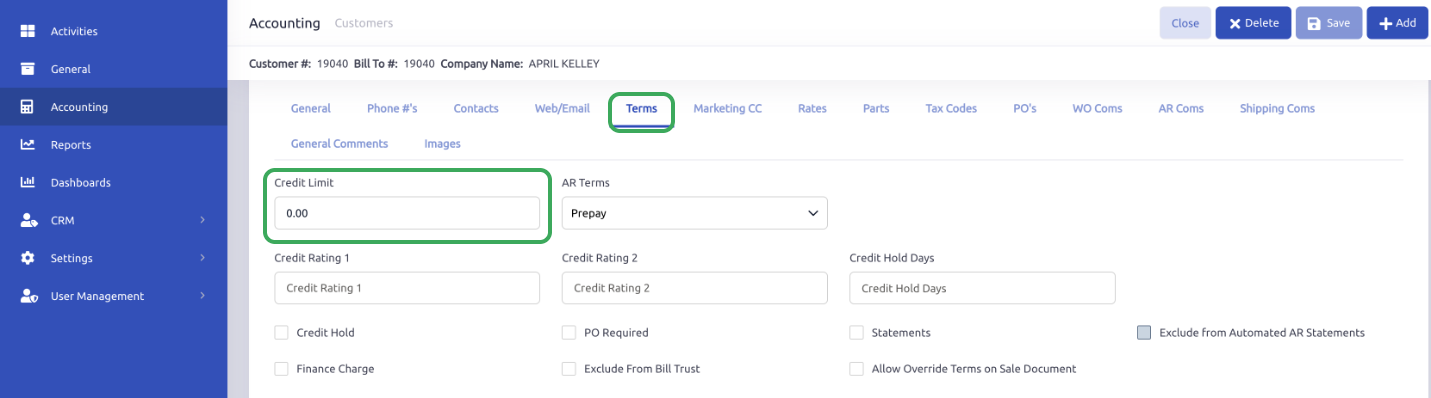
To adjust credit limits and/or AR terms for a customer, you can access and update as needed by going to Accounting > Customers, searching for the customer, then choosing the Terms tab. Here, you can adjust the credit limit or AR terms for that customer as needed.
It will not update any current open or closed items for that customer, but will update for all new items opened after the update is made and saved on the customer record.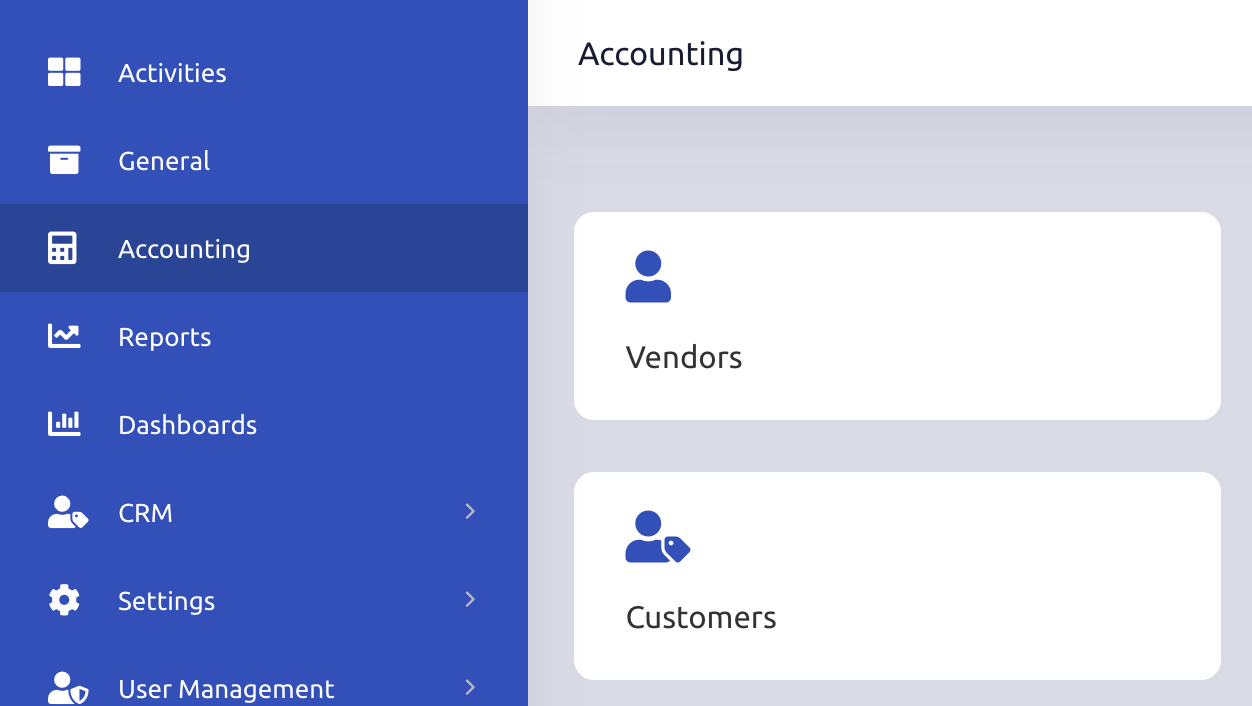
Was this article helpful?
That’s Great!
Thank you for your feedback
Sorry! We couldn't be helpful
Thank you for your feedback
Feedback sent
We appreciate your effort and will try to fix the article