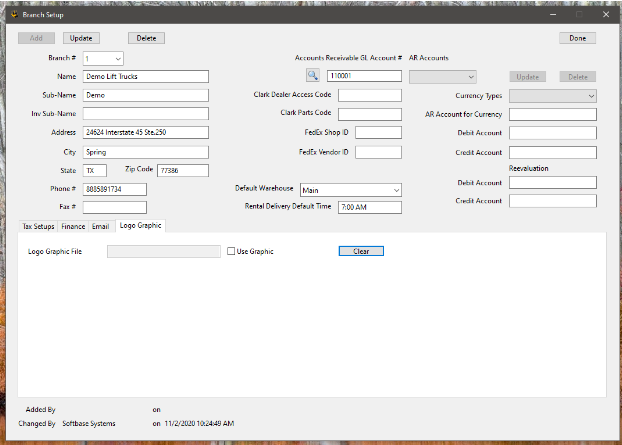
Logos are maintained within the Branch setup of Softbase under the Administration tab. You will want to access the tab for "logo graphic" to add or update a logo. Specifications for the logo are below:
File size: 300 pixels high and no more than 1500 pixels wide
File format: .jpg (preferred)
Simply drag and drop your logo file from your desktop to the large white area.
Use Graphic - If this is checked, the logo graphic file you added below will be printed at the top left of your invoices. Otherwise, the text of the Sub-Name, Address, City, State, Zip Code, and Phone # will be printed. Either case depends on if the user has “Print Company Headings check on in their Invoice Print Options. (Softbase Main Menu, File Menu)
Was this article helpful?
That’s Great!
Thank you for your feedback
Sorry! We couldn't be helpful
Thank you for your feedback
Feedback sent
We appreciate your effort and will try to fix the article