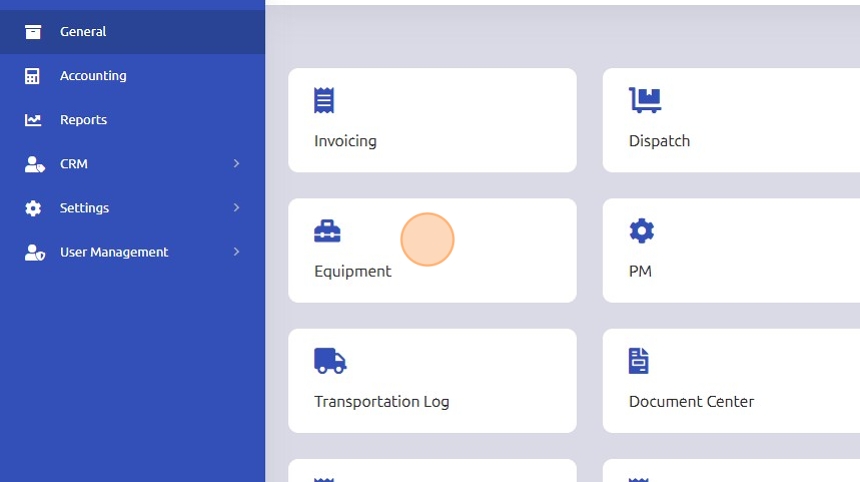
1. Click the "Equipment" program.
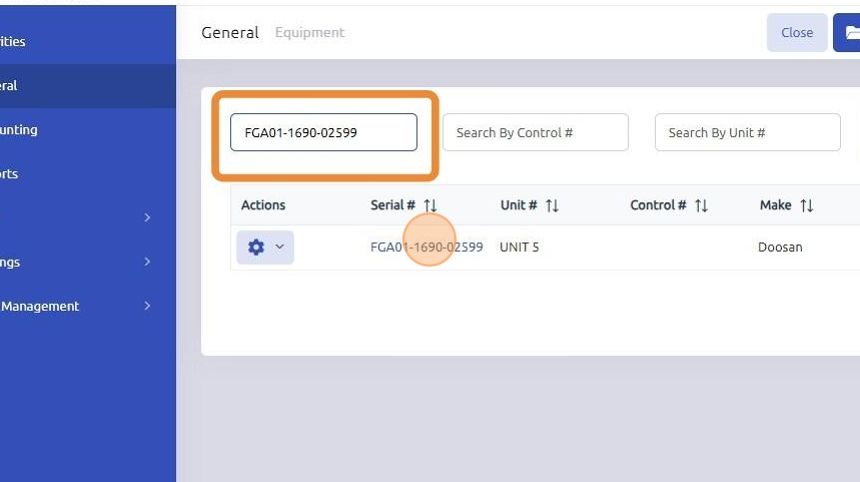
2.
- Enter Serial Number: Input the serial number of the unit in the designated field.
- Select Unit: Click on the unit that corresponds to the serial number you entered.
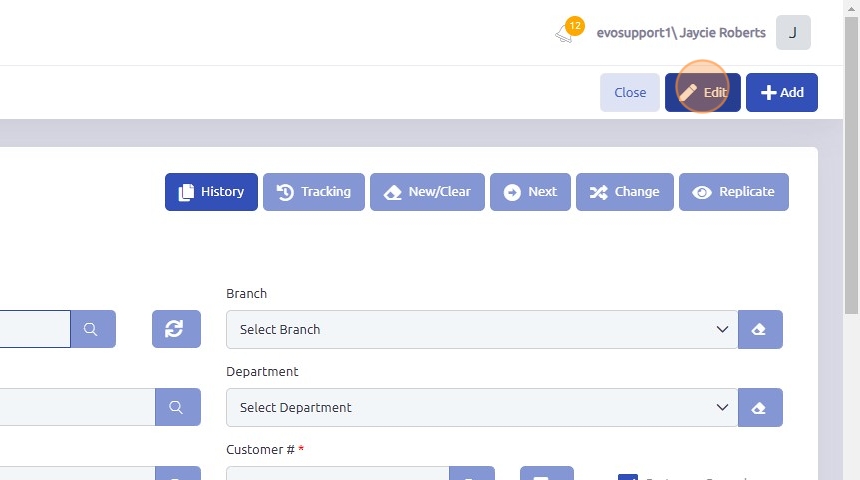
3. Click "Edit"
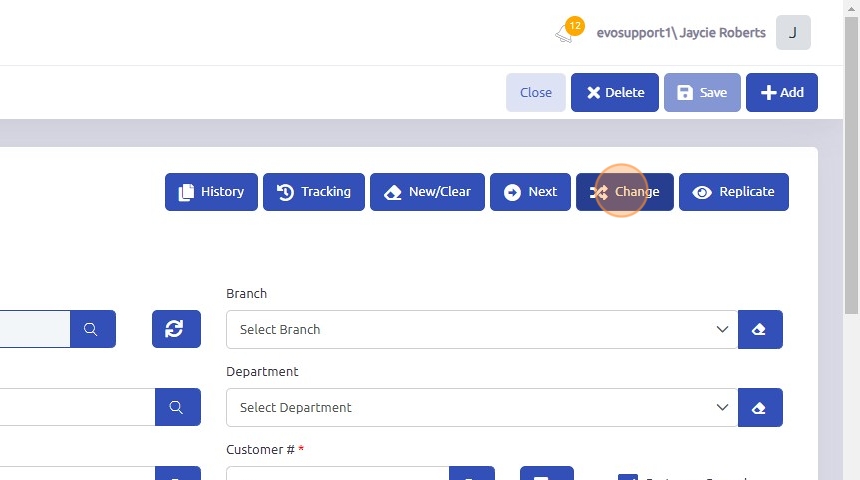
4. Click "Change"
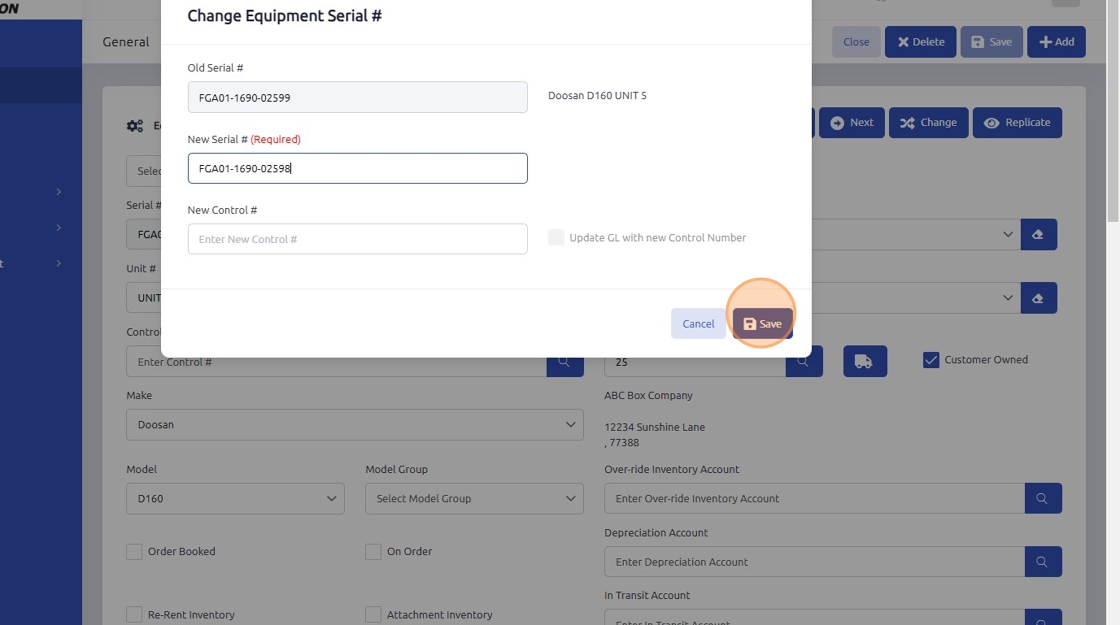
5.
- New Serial #: Input the serial number into the "New Serial Number" field.
- New Control #: Should the control number require change it can be updated in the "New Control #" field.
- Click Save: Ensure the entered serial number is correct, then click the "Save" button to update the information.
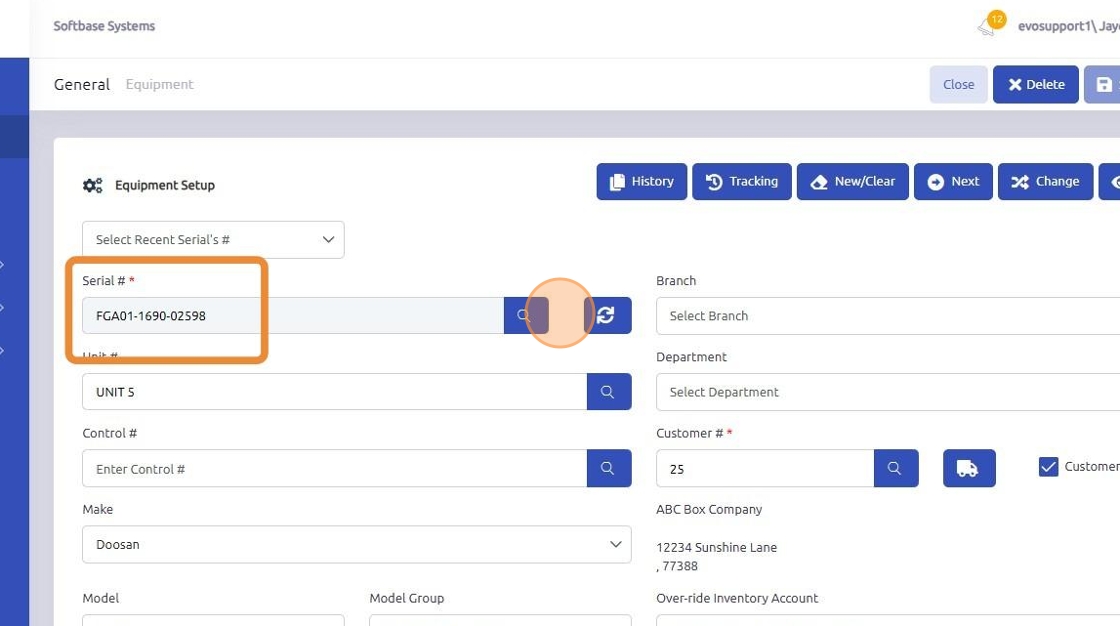
6. Verify: Check that the serial number has been correctly updated and saved.
NOTE:
- Any previous documents containing the old serial number will automatically reflect the updated serial number.
- The specs needed for your equipment must be loaded on the final serial # you are merging to. Specs are not copied over from other equipment records.
Was this article helpful?
That’s Great!
Thank you for your feedback
Sorry! We couldn't be helpful
Thank you for your feedback
Feedback sent
We appreciate your effort and will try to fix the article