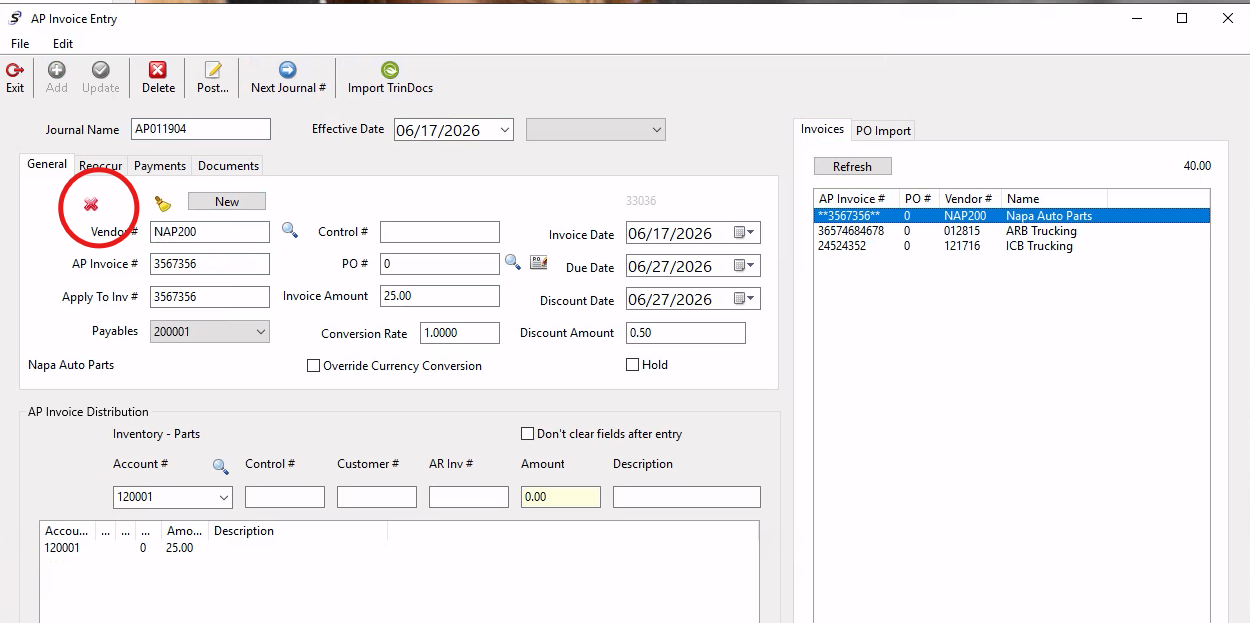
If an AP invoice was entered in a batch that later needs to be removed from the journal before posting, users can click on the invoice from the list of invoices in the invoices tab, and then use the red X icon under the general tab to remove that invoice from the batch.
They can then re-enter the invoice as needed or post the remaining invoices in the batch.
Was this article helpful?
That’s Great!
Thank you for your feedback
Sorry! We couldn't be helpful
Thank you for your feedback
Feedback sent
We appreciate your effort and will try to fix the article