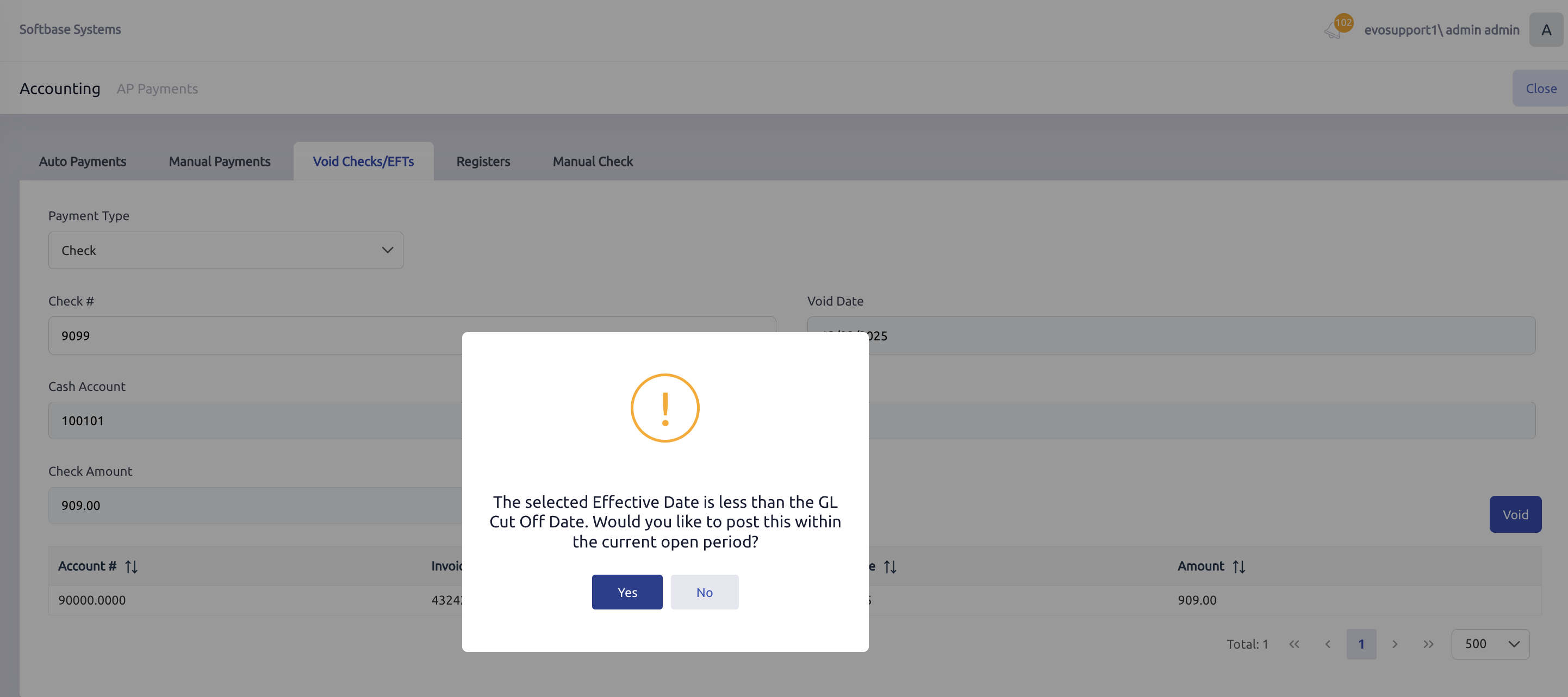
If you click Yes, the system will post the void to one day after the Cut Off Date Between. For example, if the Cut Off Date Between on the company record is 01-01-2025 through 12-31-2025, and you try to void a payment that was made before 01-01-2025, the system will give you that pop up message. If you click Yes, the void will post with an effective date of 01-02-2025.
If the first open period in your Company setup is not the one you wish to post in, and you would like to void that check to today's date, you can do so via journal entry.
For example, if I am voiding a check for $100, the original entry would be a credit to the bank account for $100 and a debit to AP for $100. To reverse this, I would enter a debit to the bank account for $100 and a credit to AP for $100 under that invoice number to reinstate the invoice and void the check payment from the cash account.
Was this article helpful?
That’s Great!
Thank you for your feedback
Sorry! We couldn't be helpful
Thank you for your feedback
Feedback sent
We appreciate your effort and will try to fix the article