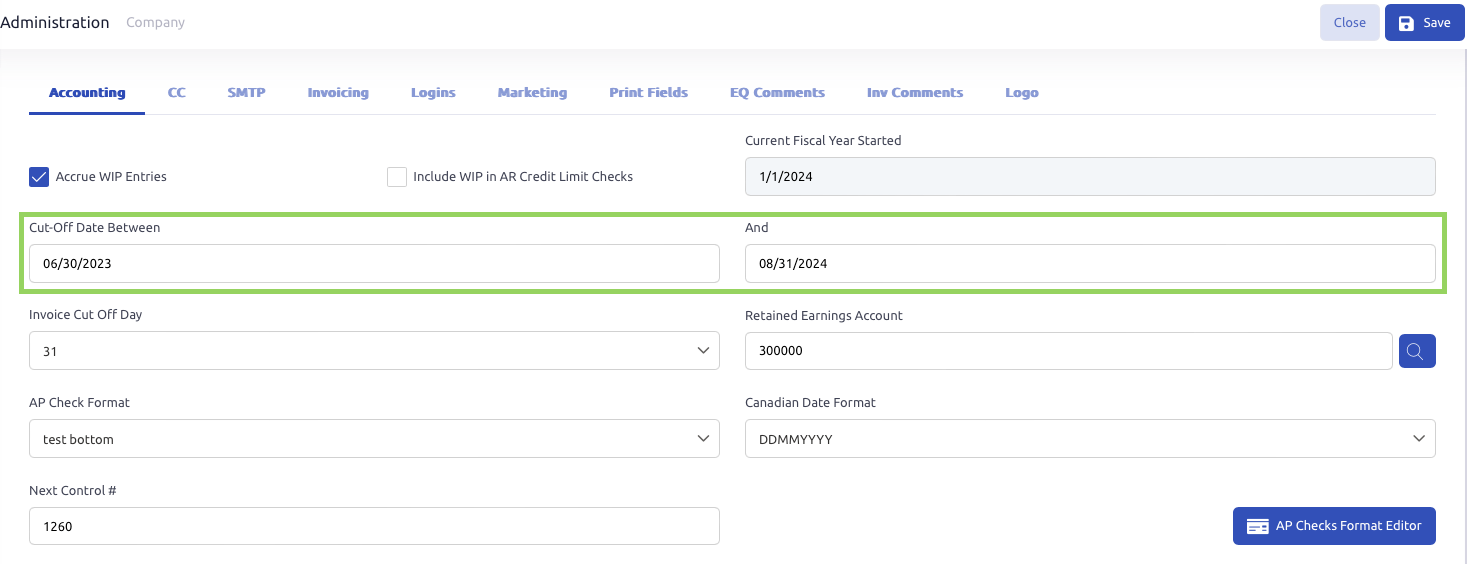
If you are attempting to post an entry and receive an error that the selected effective date is not in the range of the Gl cut-off dates, you can adjust the allowed dates in the company and department setups as needed to allow the entry.
- Settings -> Administration -> Company -> Accounting Tab and then update the Cut off Date fields to allow you to post into that date ranges.
- This will control the date range that GL Postings can be posted into.
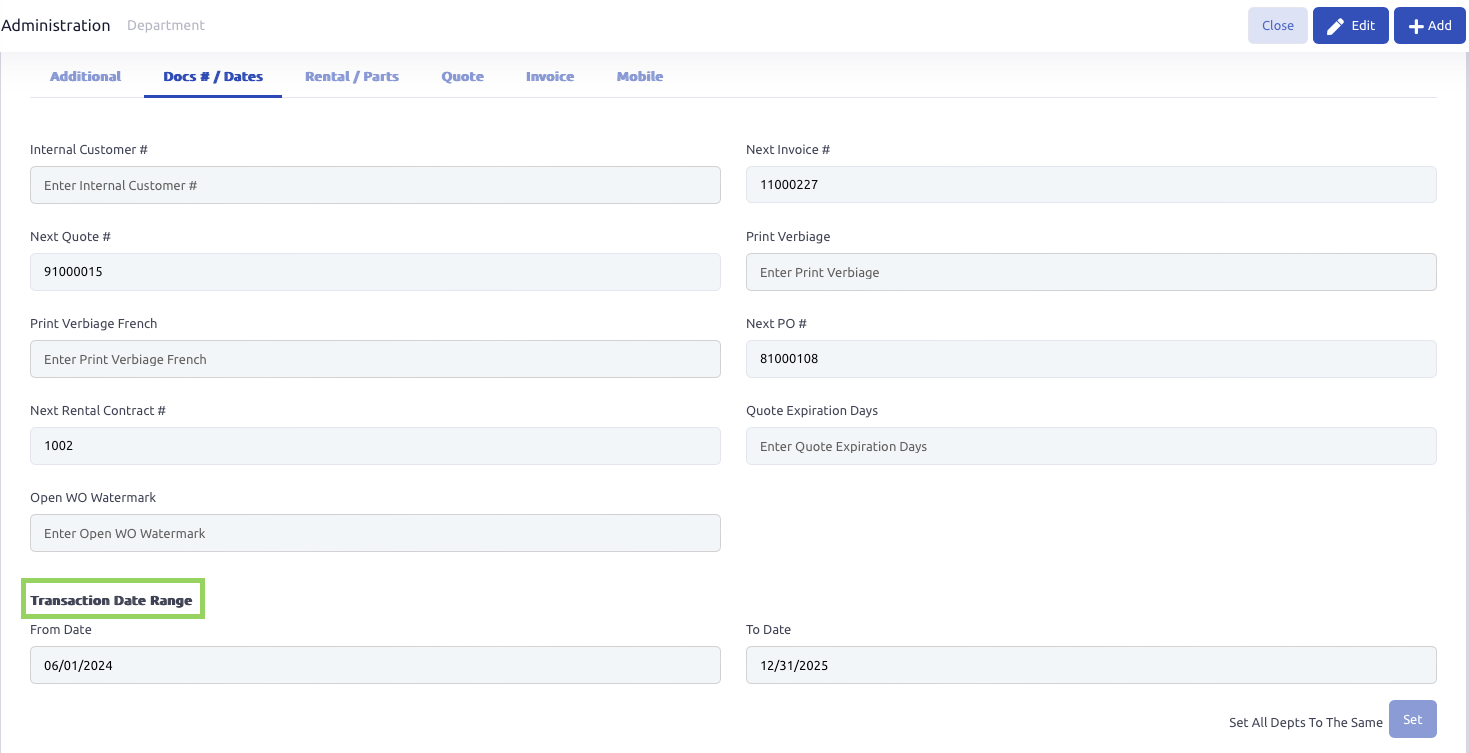
- Settings -> Administration -> Department - Docs and Dates Tab and then update the Transaction Date Range.
- This controls the dates that Parts, Labor, and other details can be posted to on a Work Order
- **** Once you update one Department and click Save, then use the Set button in the lower right hand corner to quickly update all other departments with the same Transaction Date Range.
Was this article helpful?
That’s Great!
Thank you for your feedback
Sorry! We couldn't be helpful
Thank you for your feedback
Feedback sent
We appreciate your effort and will try to fix the article