Overview
In the PM Program, you can replicate a PM setup to another serial number using the Replicate function.
Steps to Replicate a PM
Open the PM Program.
Find the Serial Number to use to Replicate from.
Click on the Settings (Gear) Icon.
Select Replicate from the dropdown menu.
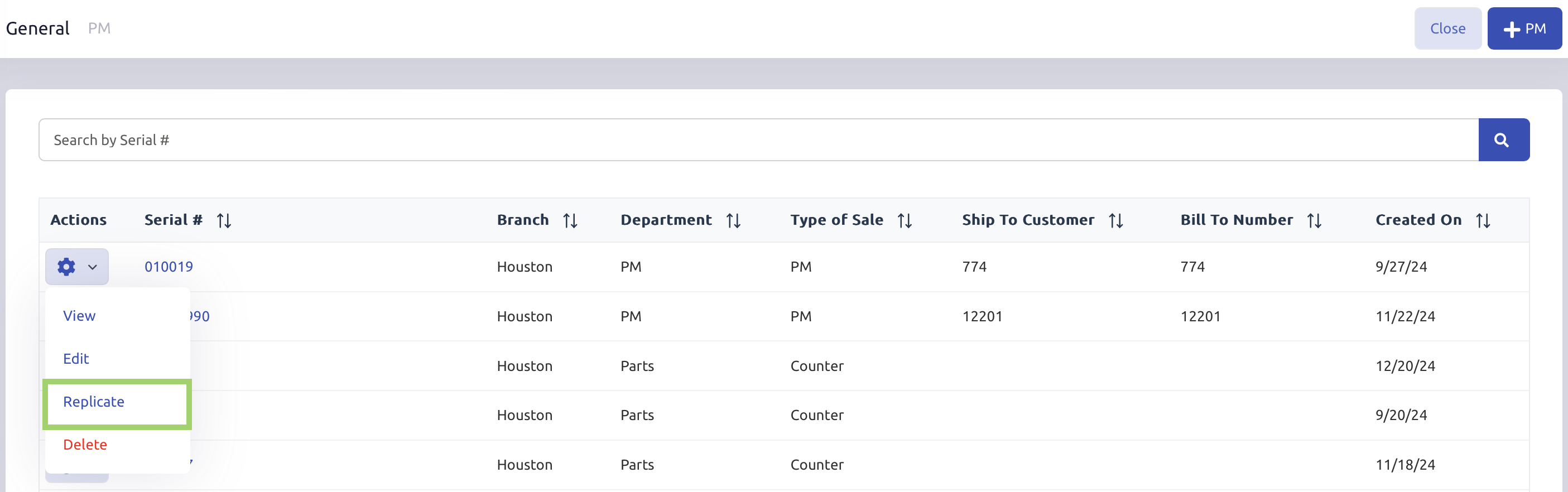
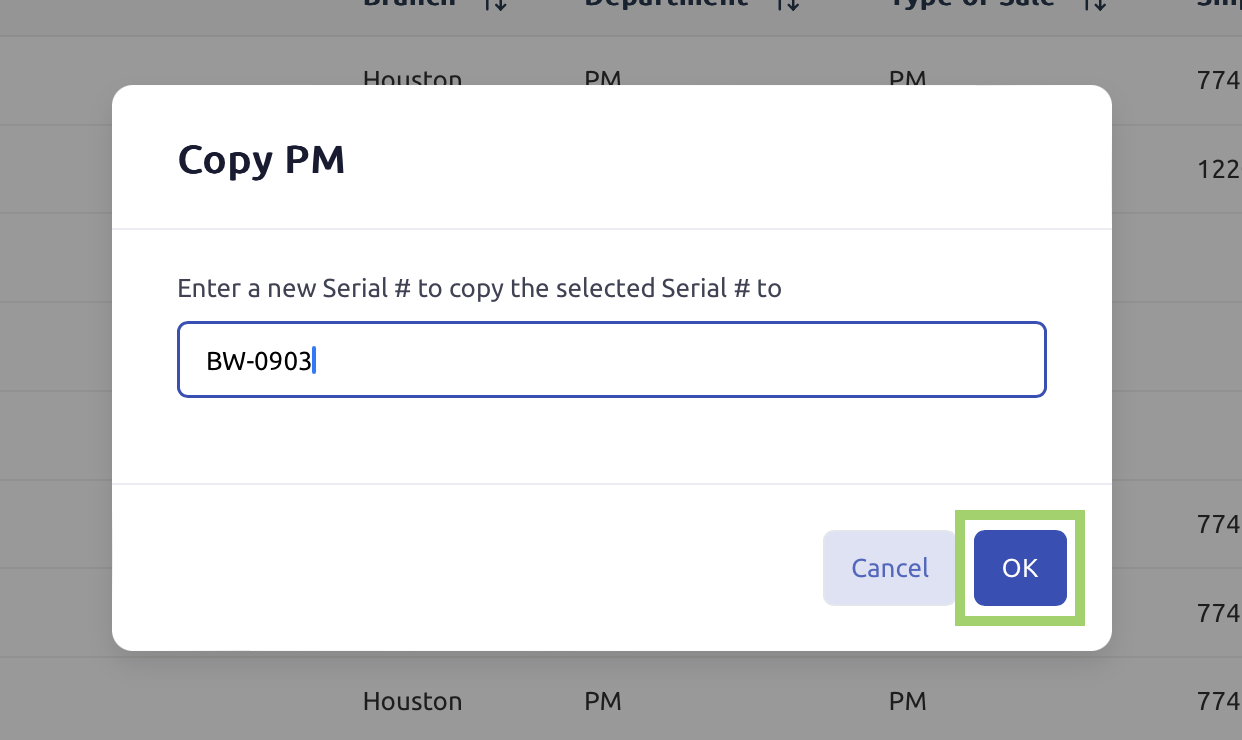
A pop-up window will appear prompting you to enter a new Serial # for the copied PM setup.
Enter the new Serial # and click OK to replicate the PM setup.
Was this article helpful?
That’s Great!
Thank you for your feedback
Sorry! We couldn't be helpful
Thank you for your feedback
Feedback sent
We appreciate your effort and will try to fix the article