To add an inspection sheet, follow these steps:
Navigate to Settings > Administration > Inspection Setup.
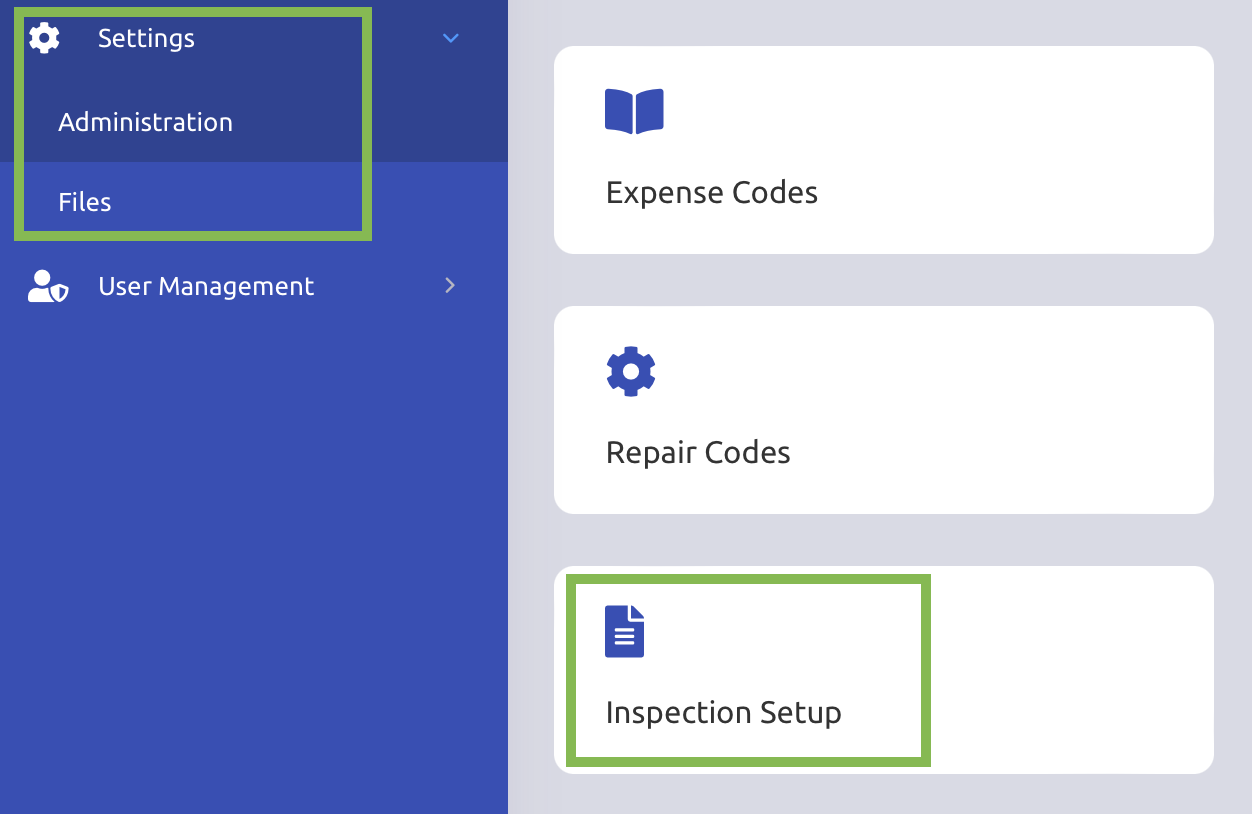
Click on the "+ Inspection Setup" button in the top right corner.
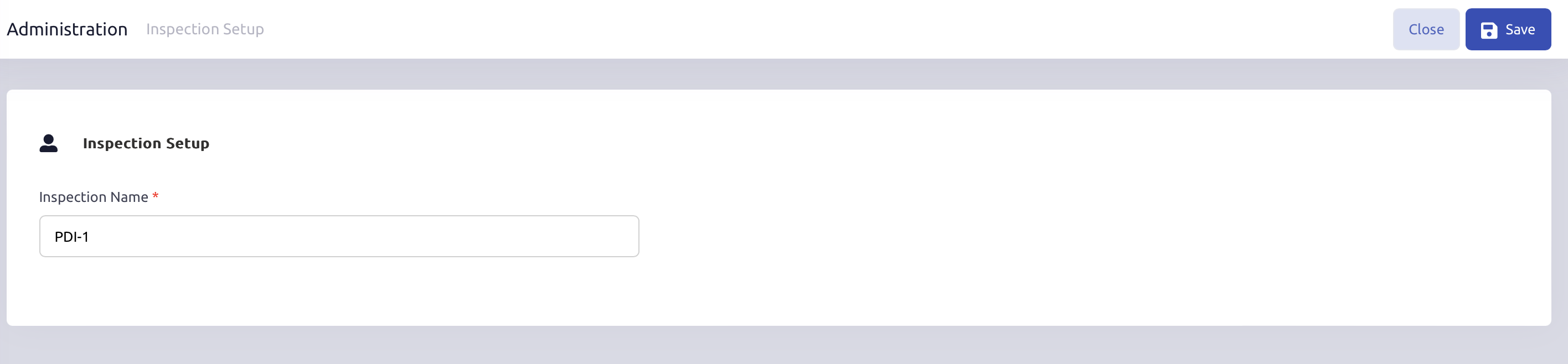
Assign a name to your inspection in the Inspection Name field and click Save.
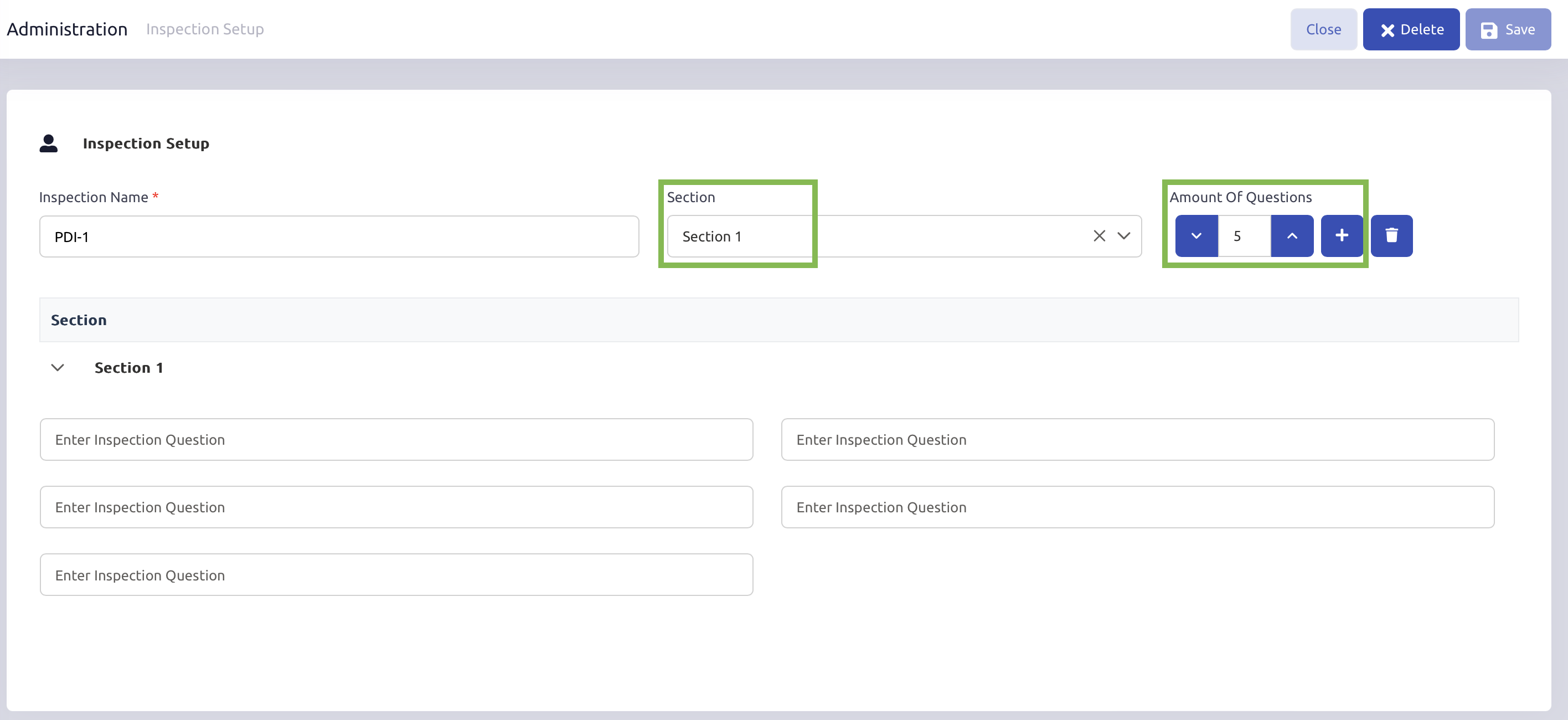
In the Section field, enter the section name for your inspection.
Use the Amount of Questions field to specify the number of questions for this section.
Click the Plus (+) button to add the section to your inspection sheet.
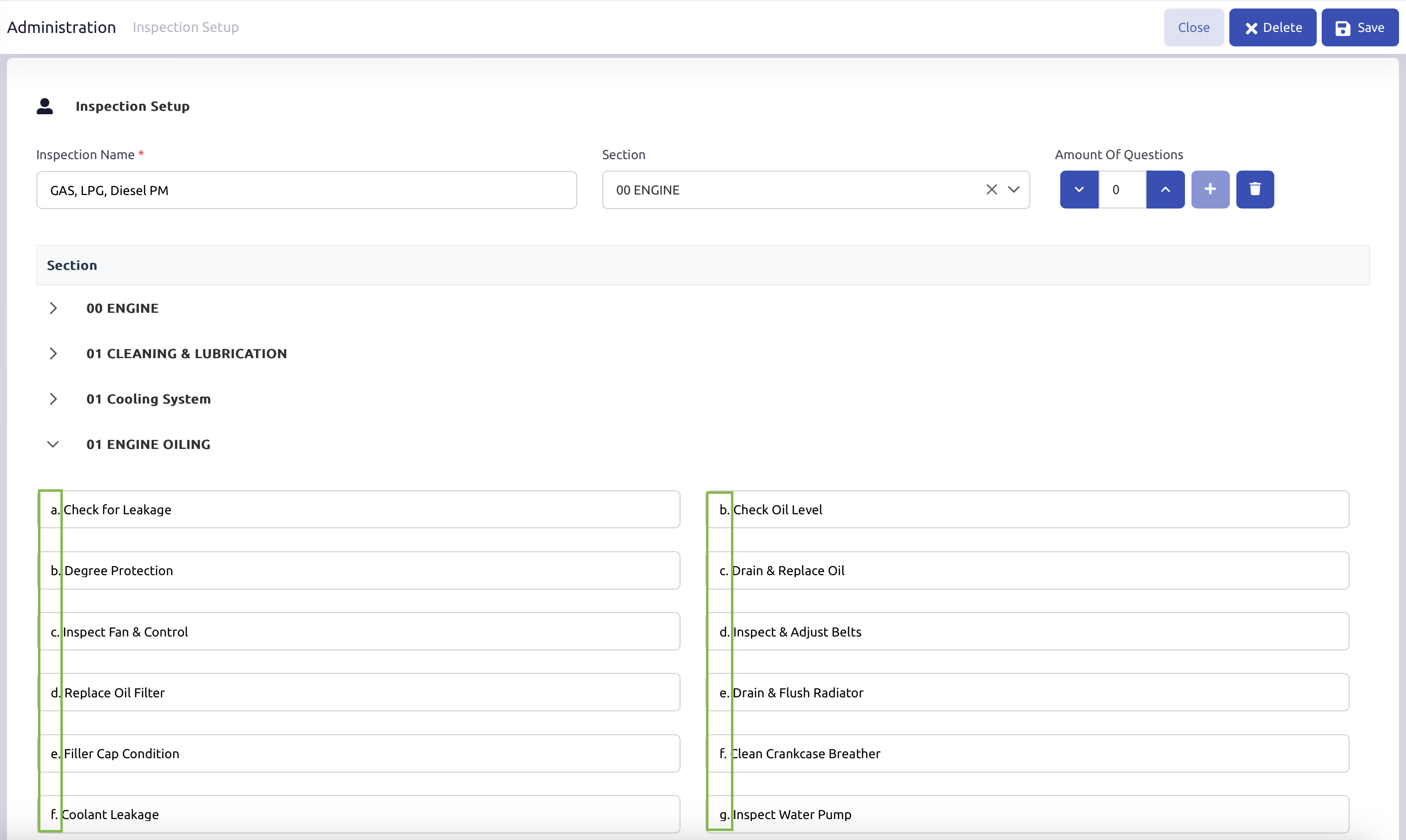
Note: If you
Was this article helpful?
That’s Great!
Thank you for your feedback
Sorry! We couldn't be helpful
Thank you for your feedback
Feedback sent
We appreciate your effort and will try to fix the article