When a user completes the Auto-Open PM process, there may be work orders that are unable to open due to credit limit holds or other criteria.
To review the records that would were excluded from the process, the user will receive a pop-up notification providing details around the serial numbers that failed at the time the process is completed.
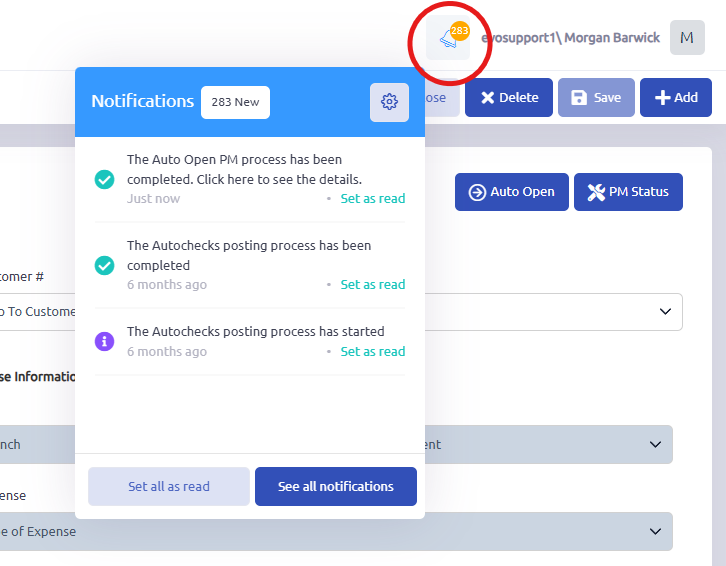
If the user needs to revisit the notification they receive, it is held in the notifications icon in the upper right corner of Evolution.
Use notification to see the serial numbers:
- Click the notification bell in the upper-right corner.
- Open the Auto Open PMs completion notification.
- The results show:
- Number of work orders opened
- PMs that could not be opened, grouped by reason
- Customer number and serial number for each skipped PM
Was this article helpful?
That’s Great!
Thank you for your feedback
Sorry! We couldn't be helpful
Thank you for your feedback
Feedback sent
We appreciate your effort and will try to fix the article