Logos and/or company information must be set to print on invoices for each user.
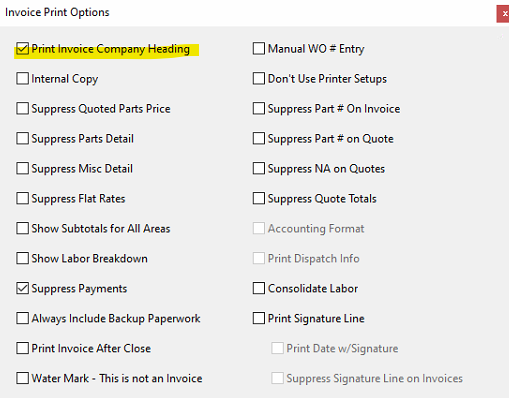
To make sure the user has it set to print on invoices they generate, make sure the invoice print options are set to include the headier.
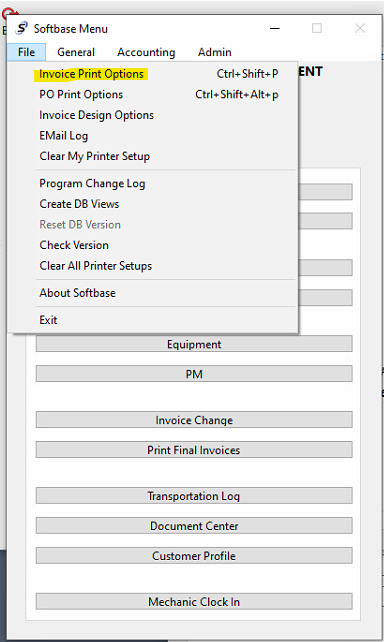
This is under the main file menu of Softbase > Invoice Print Options. You want to make sure that "print invoice company heading" is checked for you.
Was this article helpful?
That’s Great!
Thank you for your feedback
Sorry! We couldn't be helpful
Thank you for your feedback
Feedback sent
We appreciate your effort and will try to fix the article