By default, quotes will display the verbiage “Quote” at the bottom of the document.
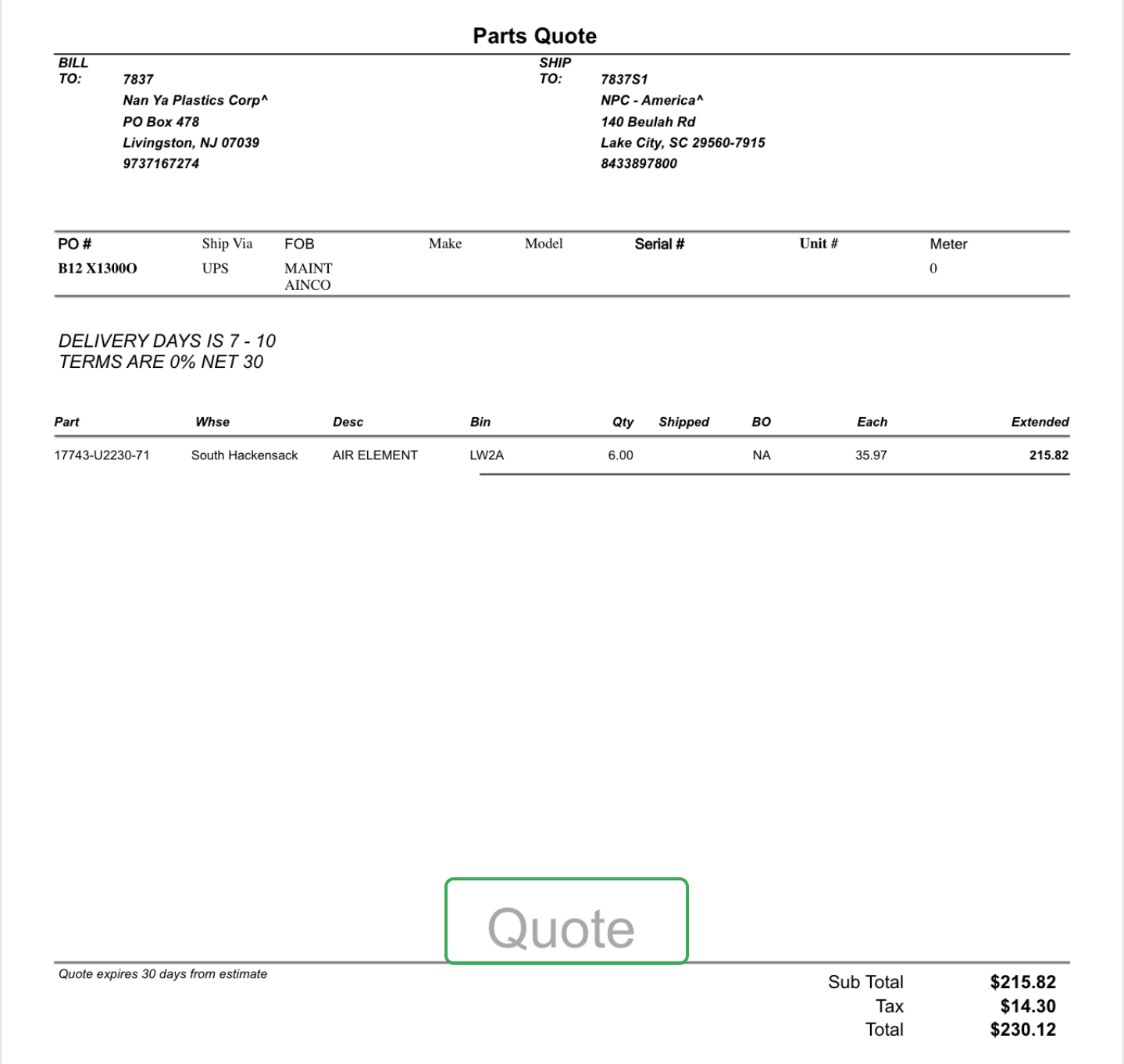
If you would like to change this for a specific document, you can navigate to the “Add’l Info” tab on the document, under the Quote Watermark Verbiage field, you can change the wording from “Quote” to “Estimate.”
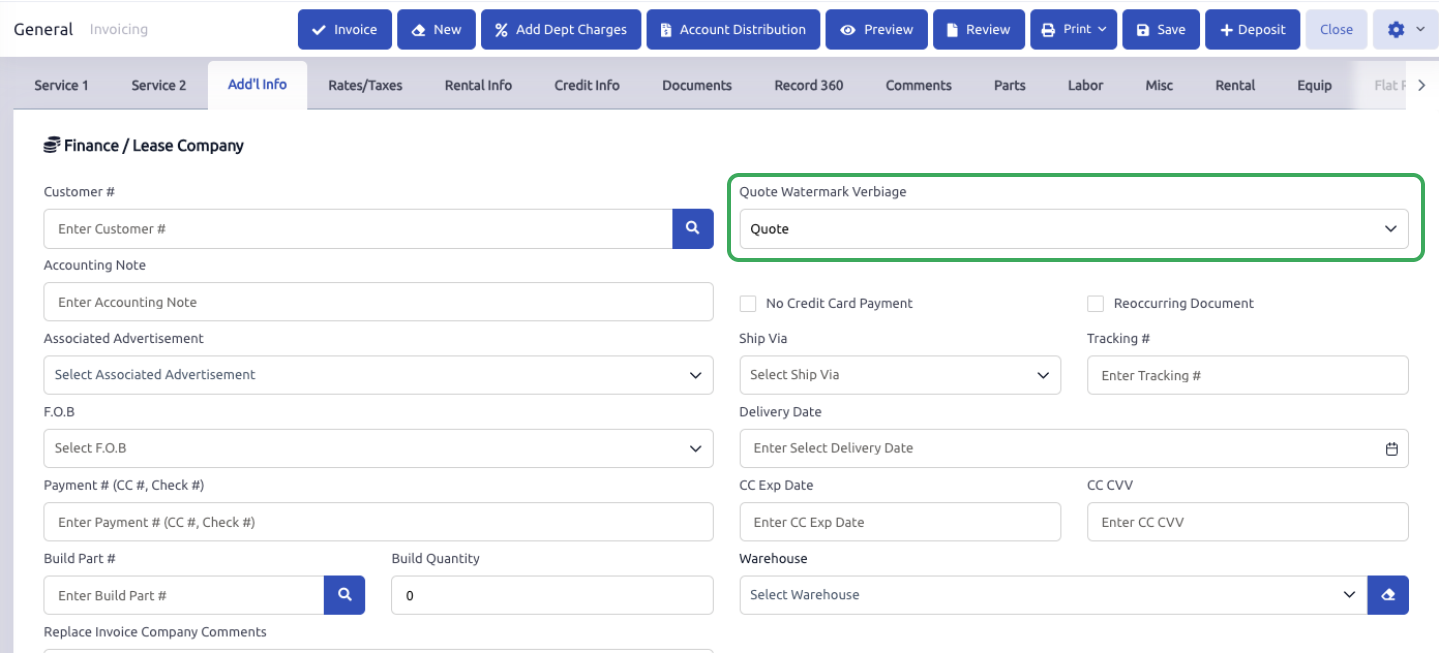
The watermark option is a drop down on the Add'l Info tab of the document.
The word "Estimate" or "Quote" at the top/header of the quote document is controlled at the Department level. There is a Print Verbiage field that you can type the word Estimate into.

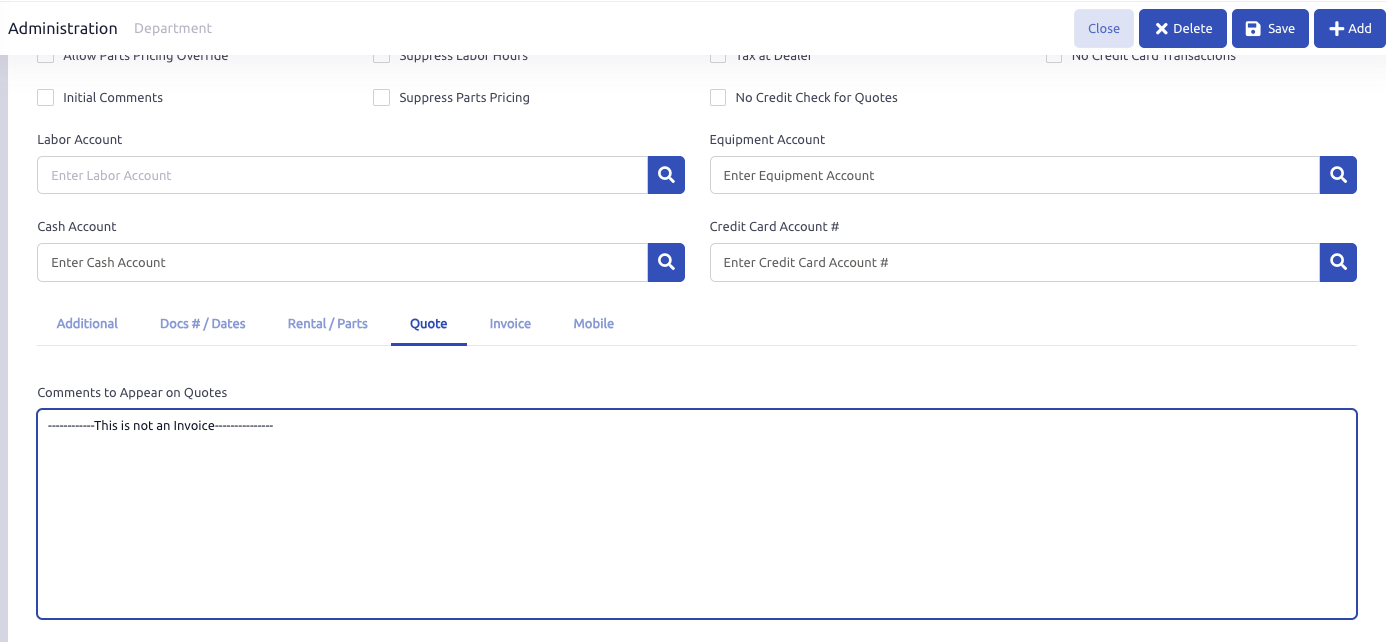
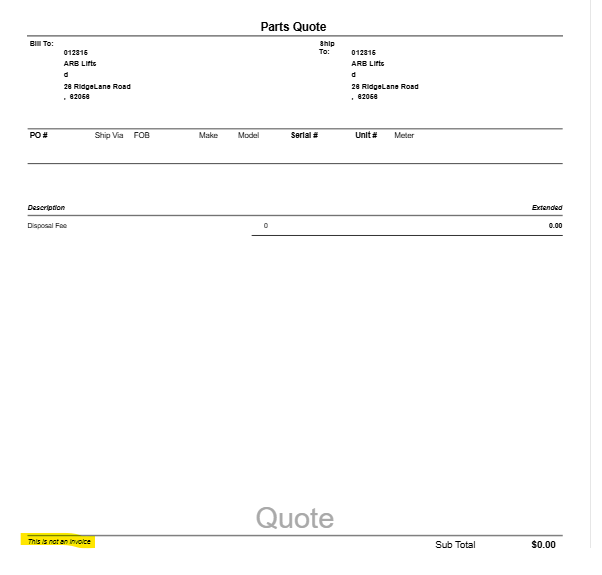
If you are looking to have a different comment or verbiage included, you can go to the Department Setup, under the Quote tab, and set the Comments to Appear on Quotes field to display the verbiage desired on quote documents.
Was this article helpful?
That’s Great!
Thank you for your feedback
Sorry! We couldn't be helpful
Thank you for your feedback
Feedback sent
We appreciate your effort and will try to fix the article