Users were having issues where not all of the emails were being sent from the Print Final Invoice screen.
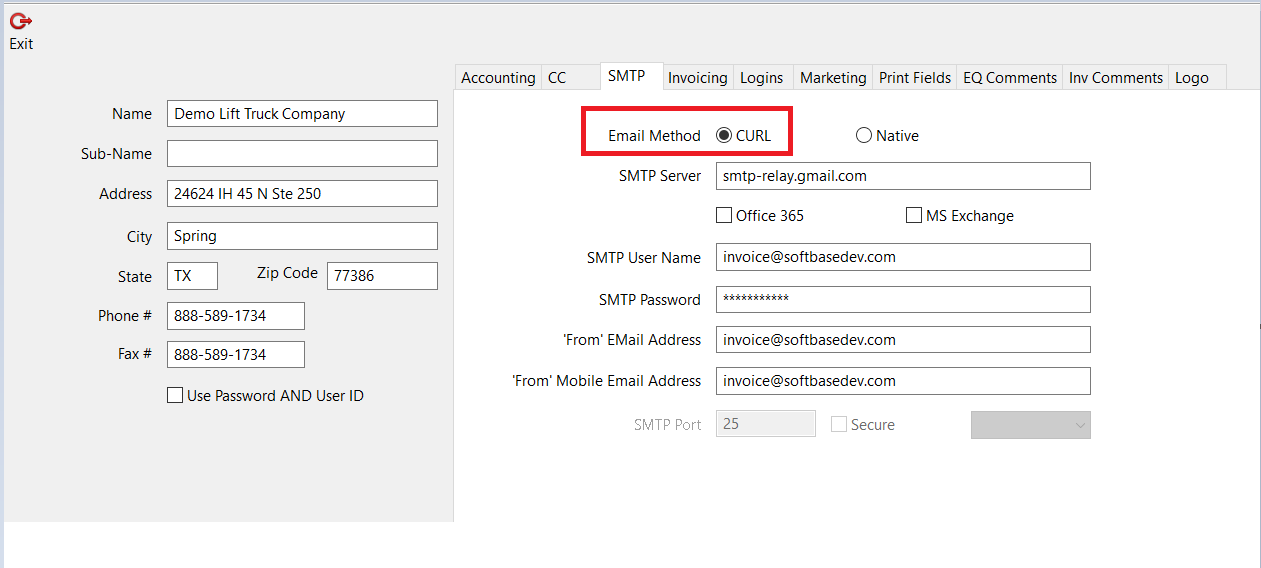
The solution for this is to check the Email Method option in the SMTP Tab of the Company form and ensure it is set to CURL.
There are two options for how Softbase sends emails; CURL and Native. The native method will send the email and not wait for a response, an asynchronous process. The CURL method will wait for a response before it moves on to sending the next email, a synchronous process. It is recommended that all systems be set to use the CURL method.
Was this article helpful?
That’s Great!
Thank you for your feedback
Sorry! We couldn't be helpful
Thank you for your feedback
Feedback sent
We appreciate your effort and will try to fix the article